Adobe Creative Cloud

How to Cancel an Adobe Subscription: A Step-by-Step Guide

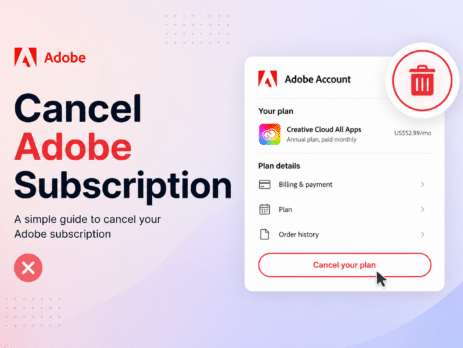
Are you thinking about canceling your Adobe subscription but unsure how to go about it?Whether it's because you're not using Adobe products enough, want to save money, or are looking for other creative tools, the cancellation process is simple if you follow the right steps. In this guide, we’ll take you through every stage of canceling your Adobe subscription, explain any charges or penalties you might face, and clarify what happens after you complete the process. Let’s make sure this is a smooth experience for you! In this article, we’ll show you how to cancel your Adobe subscription, talk about any possible charges, and explain what to expect after you cancel. Reasons to Consider Canceling Your Adobe Subscription There are several reasons why you might want to cancel your Adobe subscription.Some of the most common include: High cost: Adobe's services can be very expensive, especially for individuals or freelancers who don’t need the full...
New features in Adobe Creative Cloud 2024

The latest Adobe Creative Cloud 2024 Release includes exciting new features designed to boost your creativity and efficiency. You can now use cutting-edge AI tools to streamline your workflow. Plus, cloud-based services provide instant access to design assets and collaboration tools. What's New in Adobe Creative Cloud 2024 The 2024 release of Adobe Creative Cloud is a game-changer for creative professionals. With a host of new features, it empowers them to bring their ideas to life like never before. These features include Adobe Dimension, which simplifies 3D design. Additionally, there's enhanced integration between Photoshop and XD. Notably, the new Auto Reframe feature in Premiere Pro has garnered attention. Adobe's Creative Cloud 2024 showcases its dedication to advancing digital creativity. A versatile tool meets the needs of graphic designers, video editors, and web developers alike Adobe Creative Cloud: Discover the Attributes and Modules Included Adobe PhotoshopAdobe Photoshop is a highly potent raster graphics...

Comparing the Different Versions of Adobe Creative Cloud

Adobe Creative Cloud has revolutionized the way we create and design. With its comprehensive suite of applications and services, it has become an indispensable tool for professionals and enthusiasts alike. However, with multiple versions available, it can be challenging to choose the right one for your needs. In this article, we will compare the different versions of Adobe Creative Cloud to help you make an informed decision. Adobe Creative Cloud Photography Plan The Adobe Creative Cloud Photography Plan is designed for photographers who primarily work with images. It includes popular applications like Adobe Photoshop and Lightroom, which are essential for editing and organizing photos. This plan offers 20GB of cloud storage and access to Adobe Portfolio to showcase your work online. It is an excellent choice for photographers who want to enhance their images and streamline their workflow. Adobe Creative Cloud Single App If you specialize in a particular area and only require one...
Adobe Acrobat Pro DC 2022: Unleashing New Features and Maximizing Their Potential

Adobe Acrobat Pro DC 2022 has brought many innovative features to enhance your document management experience. Adobe Acrobat Pro DC 2022 offers advanced editing features, a better auto-adjust layout, and smooth integration with Creative Cloud. These updates help you work more efficiently on your documents. In this article, we’ll explore the new features and show you how to use them effectively. New Editing Capabilities in Adobe Acrobat Pro DC 2022 The latest version of Adobe Acrobat Pro DC offers an array of editing tools that help you easily modify text, images, and pages within your PDFs. Let's take a look at the key features: Find and Replace: The Find and Replace tool makes it simple to search for a specific word or phrase in your document and replace it with another. This feature is handy when working on lengthy documents or editing multiple pages. Edit Text and Images: With Adobe Acrobat Pro...