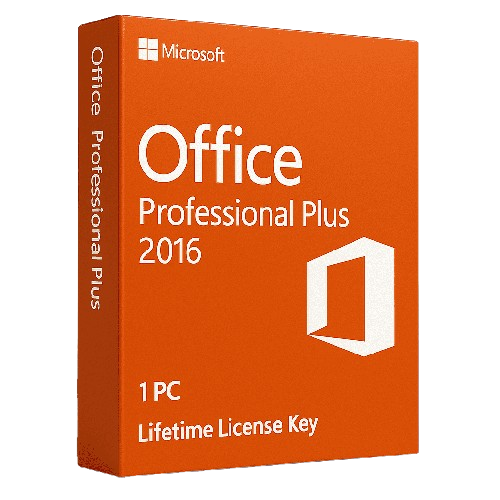
Office 2016 Professional Plus provides a complete suite of productivity applications featuring Word, Excel, PowerPoint, Outlook, Access, Publisher, and OneNote. This single-use digital license includes multilingual support with both 32-bit and 64-bit compatibility options. The software package enables users to handle essential office tasks and document management requirements effectively. Users receive access to all core Microsoft Office applications needed for comprehensive business and personal productivity workflows.
This product no longer receives security updates from Microsoft (end of support: 14 October 2025).
License
One-time purchase
Duration
One-time
Platforms
Windows 10/11
Devices
1 PC
Delivery
By email
Key features
✔Microsoft Word 2016
Create professional documents with advanced proofing tools, PDF compatibility and innovative sharing methods
Create custom desktop and browser-based database applications with user-friendly templates and SQL integration
System requirements
OS
Windows 7 or later
Processor
1 GHz or faster x86/x64-bit processor
RAM
2 GB RAM (32-bit), 4 GB RAM (64-bit)
Storage
3 GB available disk space
How to Activate Microsoft Office 2016
1Your activation code is sent by email, available on your account page, and shown on the order confirmation screen.
2Go to setup.office.com and sign in with your Microsoft account (or create a free one if needed).
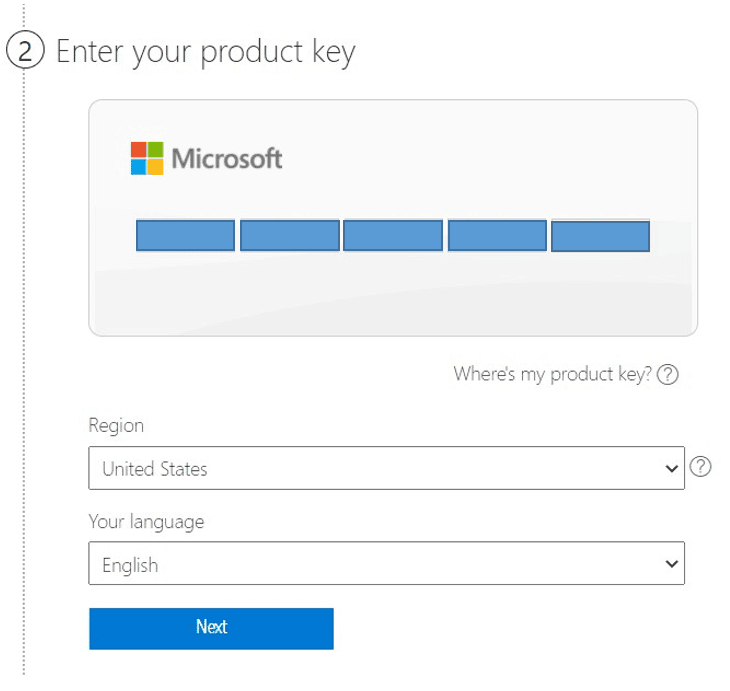
3Click Redeem a product key and enter your 25-character activation code.
4Follow the on-screen instructions to download and install Microsoft Office on your device.
5Launch any Office application — it activates automatically through your signed-in Microsoft account.
Frequently asked questions — Office 2016 Professional Plus
How will I receive my license?
Your license is delivered after purchase — by email, on your account page, and on the order confirmation screen.
Is this a valid license?
Yes. You receive a license that activates the full version of the software directly through the publisher’s activation system.
Is payment secure?
Yes. All payments are processed through secure, encrypted checkout — we never store your payment details.
Can I get an invoice?
Yes. An invoice is available on your account page and sent by email after purchase.
Can I change the language settings after installing Office 2016 Professional Plus?
Yes, Office 2016 Professional Plus is multilingual and allows you to change language settings after installation. Additional language packs can also be downloaded and installed separately as needed.
What applications are included in Office 2016 Professional Plus?
The suite includes seven core applications: Microsoft Word, Excel, PowerPoint, Outlook, OneNote, Access, and Publisher. All applications work together to provide comprehensive productivity and office management capabilities.
💬
Any technical question or hesitation?
Speak with our team via live chat — an expert will guide you and help you resolve any issue before or after your purchase. Our chat is available at the bottom right of every page.
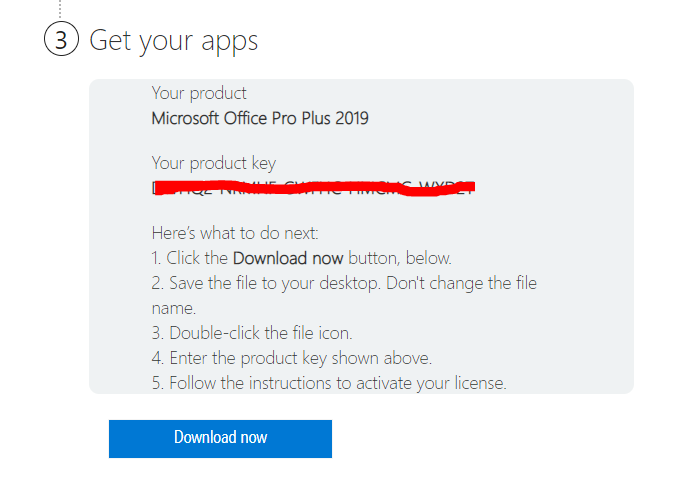
How to download and install any Microsoft office pack by key
To Download Office 2016 or 2019 Home and Student or Pro Plus in your desired language, please follow these instructions:
Before Starting any Microsoft Office Installation, If you have an Office Program installed on your computer, remove it from Control Panel and continue with the operations below.
How to download Microsoft Office Pack in 3 steps :
you will be required to enter the activation code for your software, so put your license code:
Select your Country and Language.
Download and install the Setup File</li>
Finish the Installation Process and Run the Applications.
How to install Microsoft Office Pack :
Once you have entered the correct information, you can begin downloading the software. Follow the on-screen directions and start downloading your registered copy of Microsoft Office.
Run the Activation wizard. Once you run the office installer you need to follow on-screen instructions that appear on the screen. Now, We just need to wait for the office setup to go through the installation process.
Open and Run office Applications. As soon as the installation is complete open any office app and you will get a welcome screen with a message “You’re All Set” and that office is activated.
,
If the key does not work or if there are other issues please contact us before opening a case or leaving negative feedback and we’ll sort it out for you as soon as possible.
Also please don’t forget to leave a positive feedback if you are satisfied!
Instant-Key.com is an independent software reseller. We deliver license keys digitally, with activation support included on every order.
Digital License Keys
Every key is delivered by email after payment, with the download link to the publisher's own website.
Instant Delivery
After successful payment, your license key and download link are delivered
instantly to your email and user dashboard so you can start installing right away.
Card Payment
We accept Visa, MasterCard and American Express through an encrypted card checkout.
Reliable Customer Support
Our team is available through WhatsApp, Email, and Live Chat
to assist with installation, activation, or any questions you may have.
Affordable Pricing
Get premium software like Microsoft Office, Windows OS, Adobe,
Autodesk, CorelDRAW, antivirus tools, servers and more at
competitive prices to help you save on essential digital tools.
Easy Installation Guides
Every order includes a clear step-by-step PDF installation guide
so even first-time users can install and activate their software with ease.
Activation Support
If a key does not activate, our team assists you until it does, or replaces it.
Trusted by Customers Worldwide
Individuals, businesses, students, and professionals around the world rely on
Instant-Key.com for digital licenses that support
productivity, creativity, and business growth.








Very quick and easy!
Prompt and efficient service