

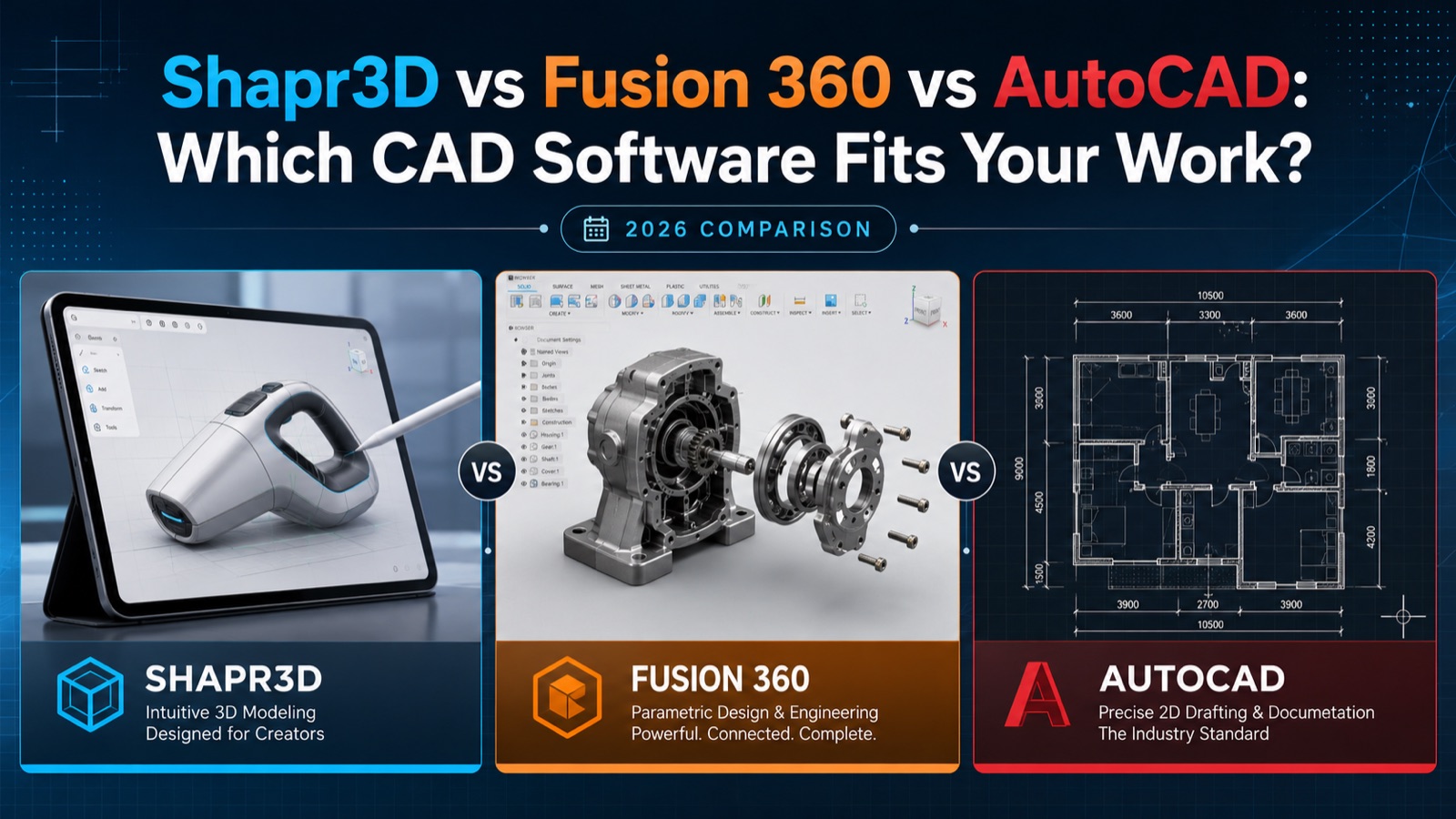
Shapr3D vs Fusion 360 vs AutoCAD: Which CAD Software Fits Your Work? (2026 Comparison)
Shapr3D, Fusion 360, and AutoCAD land on the same shortlist often enough, but they were built for different jobs: fast 3D concept modeling, product development with manufacturing attached, and precise 2D drafting and documentation. The question worth asking is not which one is best. It’s which one matches the work you already do, and how much of what you’re paying for you’ll never open.
The short version
- Shapr3D turns an idea into a solid 3D model faster than the other two, particularly on iPad or Mac. It suits product and industrial designers who want speed and mobility more than deep manufacturing or 2D drafting tools.
- Fusion 360 covers the most ground: 3D modeling, CAM (machining), simulation, and electronics in one environment. It suits makers, engineers, and small product teams who want design and manufacturing in the same place.
- AutoCAD is the industry standard for 2D drafting and technical documentation, built around the DWG format that architecture, engineering, and construction workflows already run on. It suits work where precise drawings and DWG interoperability matter more than 3D freedom.
At a glance
| Shapr3D | Fusion 360 | AutoCAD | |
|---|---|---|---|
| Primary strength | Fast 3D concept & product design | Integrated CAD + CAM + simulation | Precise 2D drafting & documentation |
| Platforms | iPad, Mac, Windows | Windows, Mac (cloud-connected) | Windows (full), Mac (reduced), web, mobile |
| Modeling kernel | Siemens Parasolid | Autodesk (parametric + freeform) | DWG-based, 2D-first with 3D |
| Learning curve | Gentle | Moderate | Steep to master |
| 2D drafting | Basic drawings/export | Solid drawing workspace | Strongest of the three |
| Manufacturing (CAM) | No | Yes, built in | No |
| Best fit | Designers, makers, mobile work | Engineers, machinists, product teams | Architects, drafters, AEC professionals |
| Licensing | Subscription | Subscription | Subscription |
Shapr3D: speed and mobility first
Shapr3D began as an iPad-first CAD app and became a full desktop tool for Mac and Windows without losing the gesture-driven interface that made it distinctive. You can be modeling within minutes rather than weeks. Underneath, it runs on the Siemens Parasolid kernel, the same industrial modeling engine used by heavyweight tools like SolidWorks and NX, so the geometry it produces is genuinely production-grade.
It’s strongest in the early, creative part of design: sketching a concept, pushing and pulling shapes, iterating fast, and doing all of it from a couch or a client site on an iPad with an Apple Pencil. For designers and makers who think in 3D and want to move quickly, nothing else here feels as immediate.
The limits follow from that focus. Shapr3D is not a 2D drafting package, it has no built-in CAM for machining, and it wasn’t built for multi-thousand-part assemblies or engineering simulation. If your work lives in those areas, pick something else. If it doesn’t, the speed is hard to beat. You can see the current Shapr3D Pro license and delivery details here.
Fusion 360: the all-in-one workhorse
Fusion 360 is Autodesk’s answer to running five separate programs. It combines parametric 3D modeling with a full design history and timeline, freeform sculpting, assembly design, simulation, and integrated CAM that generates toolpaths for CNC machines and 3D printers. It also reaches into PCB and electronics design.
That breadth is the point. Someone prototyping a product can model it, run a basic stress simulation, and generate the machining code without leaving the app or exporting to a third tool. For small product teams, freelance engineers, and machinists, that single pipeline saves time and money. It also costs well below full professional AutoCAD, which makes it a common entry point into serious CAD.
Fusion leans on the cloud for storage and some features, so it wants a reliable connection, and the all-in-one design means the interface carries more than a pure modeler like Shapr3D. If you only ever need quick 3D concepts, it’s more tool than you’ll use. If you need manufacturing output, it’s the right one. We cover the design-to-print side in more depth in our look at whether Fusion beats AutoCAD for 3D printing, and you can check Fusion 360 licensing here.
AutoCAD: the drafting standard
In 2D, AutoCAD is what the others get measured against. It has been the default for technical drawings, floor plans, schematics, and construction documentation for decades, and its native DWG format is what the architecture, engineering, and construction world exchanges files in. If you send drawings to clients, contractors, or consultants, they will probably expect DWG. That alone often settles the question.
Beyond raw drafting, AutoCAD includes industry-specific toolsets (Architecture, Mechanical, Electrical, Map 3D, Plant 3D, and more) that automate the repetitive work of each discipline. It handles 3D too, though that’s rarely why people choose it. If you’re new to it, our essential AutoCAD commands for beginners is a good place to start.
All that capability costs complexity. AutoCAD has the steepest learning curve of the three, and the full version carries the highest price. Plenty of users who only need 2D drafting take the lighter, cheaper AutoCAD LT instead. We break down that choice, and you can browse AutoCAD and other Autodesk licenses here. For related infrastructure and civil work, tools like Civil 3D build on the same drafting engine.
Which one should you choose?
Choose Shapr3D if you design products or concepts in 3D, work on a Mac or iPad, and want the shortest path from idea to model. You give up 2D drafting depth and CAM in exchange for speed and mobility neither of the others matches.
Choose Fusion 360 if you need one tool that covers design and manufacturing: modeling plus CAM, simulation, or electronics. It’s the best value here for makers, small product teams, and anyone whose work ends at a CNC machine or 3D printer.
Choose AutoCAD if your work runs on precise 2D documentation and DWG interoperability, or your industry simply expects it. If you mostly need 2D, look at AutoCAD LT rather than paying for 3D features you won’t use.
For a lot of professionals the answer is two of them: AutoCAD for drawings that have to travel as DWG, plus Shapr3D or Fusion for the 3D side. Build preparation for industrial additive manufacturing is a separate step, handled by a tool such as Autodesk Netfabb Premium, which repairs meshes and nests parts before slicing. They overlap less than the shortlist suggests.
Frequently asked questions
Is Shapr3D powerful enough for professional work?
Yes. It runs on the Siemens Parasolid kernel used by major industrial CAD systems, so its geometry is production-grade. Its limits are scope, no CAM and no heavy 2D drafting, rather than modeling quality.
Can Fusion 360 replace AutoCAD?
Not for 2D drafting and DWG-centric documentation. AutoCAD remains the standard there. For 3D design and manufacturing, Fusion often replaces several tools at once, including much of what people used AutoCAD’s 3D for.
Which is easiest to learn?
Shapr3D, by some distance, thanks to its gesture-based interface. Fusion is a moderate step up. AutoCAD takes the longest to truly master.
Do these run on Mac?
Shapr3D and Fusion 360 both run natively on Mac. AutoCAD has a Mac version, but it’s more limited than the Windows release, so check that the features you need are supported.
Are these one-time purchases?
All three are primarily sold as subscription licenses today. Check each product page for the current term and delivery details before buying.
Buying your license
At Instant-Key we’re an independent reseller of software licenses. Shapr3D, Fusion 360, and AutoCAD licenses come with digital delivery and activation instructions included, so you can download and set up your software without waiting on a physical shipment. Prices and terms change, so the figures on the individual product pages linked throughout this guide are the ones to trust.
Still unsure? The deciding question is usually blunt: do you need to produce DWG drawings, or do you need to produce parts?
Products in this article


Digital delivery by email · Secure payment by card, Apple Pay and Google Pay




Leave a Reply