





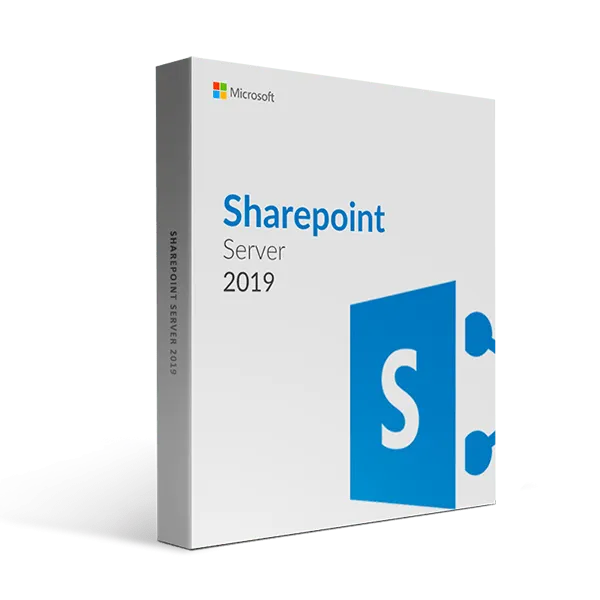

SharePoint Server 2019 Enterprise- one year subscription
400.00 $
- ✔1 year subscription
- ✔Works on Windows Server 2016, Windows Server 2019 · Server installation
- ✔All languages included
- ✔Sent by email after checkout
- ✔Free setup support
Delivered in minutes by email
- Description
- Reviews (0)
- Why buy from instant-key.com ?
- Customer Questions
Description
SharePoint Server 2019 Enterprise provides on-premises collaboration, document management, and content sharing capabilities for organizations. This latest SharePoint version integrates with Project Server 2019, offers modern lists and libraries, improved search functionality, and mobile app support. The platform includes SharePoint Home for unified site access and team news features for internal communication and stakeholder updates.
License
Subscription
Duration
1 year
Platforms
Windows Server
Devices
Server installation
Delivery
By email
Key features
✔Integration with Project Server 2019
Manages deliverables and coordinates projects across SharePoint, Outlook, and Microsoft Project platforms
✔Modern Lists and Libraries
Provides OneDrive-like usability with updated interface for intuitive folder creation and file uploads
✔Search Improvements
Offers type-ahead contextual results and modern search result pages for enhanced information discovery
✔SharePoint Mobile App
Enables mobile intranet access to stay connected and work efficiently while on the go
✔SharePoint Home
Provides unified access to all online and on-premises sites with activity tracking capabilities
✔Team News
Tracks and shares important events and accomplishments with team members and external stakeholders
System requirements
| OS | Windows Server 2016 or Windows Server 2019 Standard/Datacenter Edition with Desktop Experience |
| Processor | 64-bit, 4 cores minimum |
| RAM | 16 GB minimum, 24 GB recommended |
| Storage | 80 GB minimum |
How to Apply a SharePoint Server License
- 1Your product key is sent by email, available on your account page, and shown on the order confirmation screen.
- 2Download SharePoint Server from microsoft.com/evalcenter/download-sharepoint-server-2019 — your retail key activates the full version.
- 3Run the Microsoft SharePoint Products Preparation Tool on your Windows Server to install prerequisites automatically.
- 4Run the SharePoint Configuration Wizard — when prompted for a product key, enter your 25-character licence code.
- 5Verify activation in SharePoint Central Administration → Upgrade and Migration → Manage Product Licenses.
Frequently asked questions — SharePoint Server 2019 Enterprise- one year subscription
How will I receive my license?
Your license is delivered after purchase — by email, on your account page, and on the order confirmation screen.
Is this an authentic license?
Yes. You receive an authentic license that activates the full version of the software directly through the publisher’s official activation system.
Is payment secure?
Yes. All payments are processed through secure, encrypted checkout — we never store your payment details.
Can I get an invoice?
Yes. An invoice is available on your account page and sent by email after purchase.
What deployment options are available for SharePoint Server 2019?
SharePoint Server 2019 supports traditional on-premises deployment, hosted service with Office 365, deployment in Microsoft Azure IaaS, or a hybrid approach combining these options for flexible implementation strategies.
Does SharePoint Server 2019 work with SharePoint Online?
Yes, SharePoint Server 2019 perfectly complements SharePoint Online, enabling organizations to collaborate, manage documents, and share content across both on-premises and cloud environments for comprehensive workflow integration.
Any technical question or hesitation?
Speak with our team via live chat — an expert will guide you and help you resolve any issue before or after your purchase. Our chat is available at the bottom right of every page.
Reviews
There are no reviews yet
Add a review
You must be logged in to post a review
Log In
Why Buy From Instant-Key?
Choosing Instant-Key.com means choosing a trusted global platform for fast, secure, and affordable digital software licenses. Every purchase is backed by genuine products and reliable customer support.100% Genuine Software Keys
All license keys are authentic, verified, and sourced from trusted suppliers. No cracks, no illegal activations — only legitimate, secure software.Instant Delivery
After successful payment, your license key and download link are delivered instantly to your email and user dashboard so you can start installing right away.Multiple Payment Methods
We support a wide range of payment options including Skrill, Mollie, MasterCard, Visa, Apple Pay, Google Pay, Stripe and other major cards and wallets for a smooth and secure checkout.Reliable Customer Support
Our team is available through WhatsApp, Email, and Live Chat to assist with installation, activation, or any questions you may have.Affordable Pricing
Get premium software like Microsoft Office, Windows OS, Adobe, Autodesk, CorelDRAW, antivirus tools, servers and more at competitive prices to help you save on essential digital tools.Easy Installation Guides
Every order includes a clear step-by-step PDF installation guide so even first-time users can install and activate their software with ease.Warranty and Replacement Guarantee
All keys come with an activation warranty. In case of any activation issue, we provide a quick replacement, ensuring a smooth and worry-free experience.Trusted by Customers Worldwide
Individuals, businesses, students, and professionals around the world rely on Instant-Key.com for genuine digital licenses that support productivity, creativity, and business growth.General Inquiries
1 Inquiries









how many licence key we need to purchase 3 separate environment for production,test,development thanks –
For SharePoint Server 2019, you\\\'ll require three separate license keys—one for each environment (production, test, and development). If you have any further questions or need assistance, please don\\\'t hesitate to reach out.