Description
Who Uses AutoCAD Raster Design?
- Architects & Engineers — Digitize legacy blueprints and as-built drawings for renovation projects
- GIS & Survey Professionals — Georeference aerial imagery and convert scanned maps to CAD-ready vectors
- Construction Teams — Convert paper site plans into editable DWG files for coordination
- Government & Utilities — Modernize archived infrastructure records into digital assets
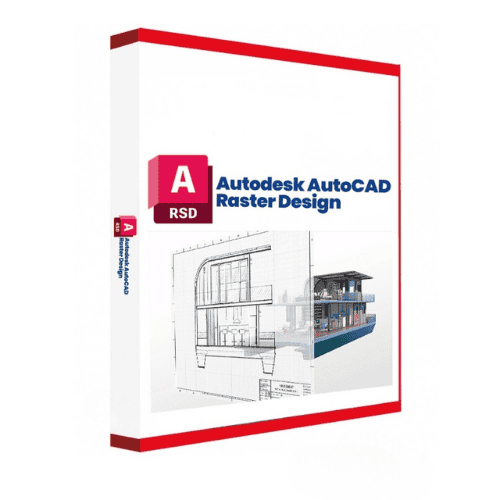
Autodesk AutoCAD Raster Design offers comprehensive raster-to-vector conversion capabilities through a 1-year subscription. This specialized toolset enables CAD professionals to import, edit, and analyze scanned drawings, maps, and aerial imagery directly within AutoCAD. The software provides advanced image editing tools, vectorization settings, and georeferencing capabilities essential for architecture, engineering, construction, and geospatial mapping workflows. Users can convert raster images into editable vector entities while maintaining precision and accuracy throughout their design processes.
License
Annual Subscription
Devices
1 user / 2 devices
Delivery
Digital / Quick (15 min – 1 h)
Key Features
Raster-to-Vector Conversion
Convert scanned drawings, maps, and satellite imagery into editable vector entities within AutoCAD for enhanced design flexibility
Advanced Image Editing Tools
Access brightness and contrast adjustment, despeckling, erasing, mirroring, and cropping tools for comprehensive image cleanup
Customizable Vectorization Settings
Configure conversion parameters including threshold, color tolerance, and smoothing for optimal raster-to-vector results
Georeferencing Capabilities
Align raster images with real-world coordinates for accurate mapping and spatial analysis workflows
Built-in Image Analysis
Utilize contour generation, slope analysis, and surface analysis tools for comprehensive geospatial evaluation
System Requirements
| Operating System |
Windows |
| Processor |
Multicore 64-bit processor |
| RAM |
8 GB |
| Storage |
10 GB |
| Graphics |
DirectX 12 compatible graphics card |
How to Activate Autodesk AutoCAD Raster Design
- After purchase, Autodesk sends you a confirmation email.
- The email contains your access link tied to your purchase email.
- Sign in to autodesk.com with the same email address used at checkout.
- Navigate to your Account → Products & Services.
- Download and install the application from the Autodesk Desktop App.
Frequently Asked Questions
How will I receive access?
After purchase, Autodesk sends a confirmation email to the address used at checkout. Sign in to autodesk.com or acc.autodesk.com with that email to access your subscription.
Is payment secure?
Yes. All payments are processed through secure, encrypted checkout — we never store your payment details.
Can I get an invoice?
Yes. An invoice is available on your account page and sent by email after purchase.
How many users can access AutoCAD Raster Design with this subscription?
This subscription provides access for 1 user across up to 2 devices running Windows, and requires an active Autodesk account for license management.
Does AutoCAD Raster Design integrate with other Autodesk products?
Yes, AutoCAD Raster Design integrates tightly with the AutoCAD environment and supports standard AutoCAD commands for modifying REM objects and raster entities.
Does AutoCAD Raster Design run on Mac?
No. AutoCAD Raster Design is a Windows only toolset: Autodesk has never published a macOS version of it, and it loads inside AutoCAD for Windows. Mac owners use it through a virtualised copy of Windows, the route Autodesk points Mac users to. The subscription itself is unchanged either way.
Need help? Our support team is available 7 days a week. Contact us via live chat or email for activation assistance, compatibility questions, or any other inquiry.
Why Buy From Instant-Key?
Instant-Key.com is an independent software reseller. We deliver license keys digitally, with activation support included on every order.
Digital License Keys
Every key is delivered by email after payment, with the download link to the publisher's own website.
Instant Delivery
After successful payment, your license key and download link are delivered
instantly to your email and user dashboard so you can start installing right away.
Card Payment
We accept Visa, MasterCard and American Express through an encrypted card checkout.
Reliable Customer Support
Our team is available through WhatsApp, Email, and Live Chat
to assist with installation, activation, or any questions you may have.
Affordable Pricing
Get premium software like Microsoft Office, Windows OS, Adobe,
Autodesk, CorelDRAW, antivirus tools, servers and more at
competitive prices to help you save on essential digital tools.
Easy Installation Guides
Every order includes a clear step-by-step PDF installation guide
so even first-time users can install and activate their software with ease.
Activation Support
If a key does not activate, our team assists you until it does, or replaces it.
Trusted by Customers Worldwide
Individuals, businesses, students, and professionals around the world rely on
Instant-Key.com for digital licenses that support
productivity, creativity, and business growth.
" tracking="option-product-tab-block"]









Reviews
There are no reviews yet