Tutorials & Manuals

Tutorials, manuals & Tips for Microsoft software as Office, Windows and servers

How to Update Microsoft Office For Mac

Microsoft Office is an essential suite for document management and presentation. Keeping Office for Mac updated ensures smooth operation and security. Updates are automatic by default, but can be manual via Microsoft AutoUpdate or the App Store. Updating regularly saves time and enhances performance. Note that Windows 11 and 10 support Office 2019, with other versions available.

Windows 11 22H2, the launch date is near

Soon, users will be able to get the first big update for Windows 11. It's about to be deployed. In two weeks, it's going to happen. The name "Windows 11 2022 Update" has been mentioned by Microsoft although Windows 11 22H2 does not yet have an official name. Since RTM was previously released, the effort has been concentrated on performance and bug fixes. For a number of reasons, it is believed that 22H2 will arrive soon. For instance, Microsoft has made its Windows Enterprise Driver Kit (WDK), Software Development Kit (SDK), and Windows Driver Kit (WDK) public (EWDK). These announcements were made in complete secrecy, but they were usually made before the "general public" deployment. This Weekend Microsoft also noted in an update Use this SDK to build Universal Windows Platform (UWP) and Win32 apps for Windows 11 v22H2 and earlier versions of Windows. Note that 22H2 also supports Visual Studio 2022, so developers...

H&R Block Tax Software License Key: Everything You Need to Know

H&R Block tax preparation software is one of the most trusted tools for filing federal and state tax returns in the United States and Canada. Whether you are an individual filing a simple return or a business owner handling complex deductions, H&R Block offers a range of editions to match your needs. This guide covers everything you need to know about buying and activating your H&R Block license key. What Is an H&R Block License Key? An H&R Block license key is a unique activation code that unlocks the full version of the software on your computer. After purchase, you receive this code by email and enter it during installation to activate the product. Each key is tied to a specific edition — Deluxe, Premium, or Business — and covers a single tax year. Need a license? You can check the H&R Block Premium & Business 2024 license for pricing and digital...

How to install Windows 10/11?

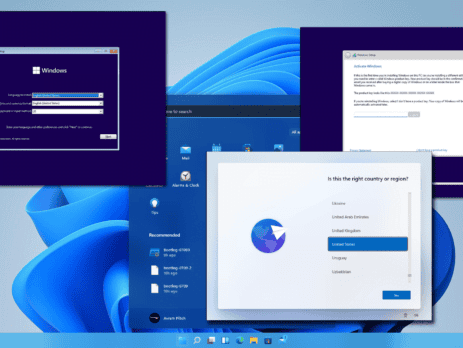
On this page you will find detailed textual guidelines for the installation of Windows 10/11. 1. For Windows 10 visit: https://www.microsoft.com/software-download/windows10 For Windows 11 visit: https://www.microsoft.com/software-download/windows11 2. Download the 'Download Tool'. 3. Open the 'Download tool' and accept the Terms and Conditions. 4. Select the option for creating a bootable drive. 5. Select the version and architecture of the Windows 10/11 Installation. * Note: Recommended options are based on the PC/Laptop your running the creation tool from. 6. Select between creating a bootable drive from a USB or ISO (for DVD). 7. Insert drive (USB) to computer, allocate and select it in the tool (USB only). 8. After completing the process, take the Media (USB or DVD) and insert it in the computer onto which you’ll load Windows 10/11. * Note: the computer should be Shut Down and the USB or DVD should be inserted in the computer. 9. Turn on the computer. 10. Immediately after the computer starts booting, press F1 or F2, depending on your manufacturer’s guidelines, to access the BIOS menu. 11. Navigate with the arrow keys to access the Boot Order Menu. 12. Using F4 and F5 put the desired drive (USB or DVD) as first in the boot order. 13. Exit and Save...

What’s the difference: Microsoft 365 vs Office 365

There is a lot to be said about maintaining consistency in product names, but when there are dozens of products, each with multiple variations, identical names can easily cause confusion. Microsoft, you have our attention. THIS IS HOW IT ALL STARTED How the chaos began is as follows: In 2017, Microsoft introduced Microsoft 365, a number of current products offered to enterprises under a single license. The term is comparable to what is already called Office 365. It's simple to understand how the two products can be confused because a lot of people have wrongly referred to Office 365 as Microsoft 365. It gets even more confusing when you learn that Microsoft 365 includes Office 365. Let’s break down the differences: Microsoft 365 vs. Office 365 in brief Office 365 is a suite of cloud-based productivity applications such as Outlook, Word, PowerPoint, and more. Microsoft 365 is a service pack that includes Office 365...

Looking for an H&R Block coupon Code?

Looking for an H&R Block discount Code ? An H&R Block discount code is a key that helps you to get extra discounts and special offers on some online products by the time when you reach the end of your return. When you get to the end of the return, you can enter the code and bring additional value to the easily accessible online tax prep. from the site you are buying.

WINDOWS SERVER 2022 INSTALLATION GUIDE

Windows Server 2022 is a server operating system that starts with Windows 2019 capabilities while boosting performance and reliability, as well as providing more comprehensive security and protection for your server. Microsoft announced the update in early 2021, and the company plans to maintain Windows Server 2022 for the next decade. Here's all you need to know about installing, downloading, and configuring Windows Server 2022. Improvements & New Features Microsoft's effort to enhance security while making it more straightforward and offering higher-level protection measures is shown in Windows Server 2022, the most recent iteration. Among them are the following: HTTPS and TLS 1.3 secure clients’ data by offering a greater degree of encryption. DNS queries are encrypted with HTTPS, thanks to support for DNS-over-HTTPS (DoH). Nested virtualization is available for AMD CPUs. Microsoft Edge replaces Internet Explorer as the default web browser. Microsoft enhanced security features protect data against a range of attacks, implementing a multi-layered system. Integration with...

How do I create a bootable Windows USB drive?

You must first build the installation media before installing Windows from a USB drive. Once the USB flash drive is connected, your computer will be able to read this and boot from it. The methods for making a bootable USB flash drive using Microsoft's Media Creation Tool are outlined here. If you don't have the installer yet, start with our Windows 10 ISO download guide, then come back to build your USB. Download Windows 10 and Secure Affordable Software Keys If you're looking to buy Windows keys cheap or get access to Microsoft office keys cheap, you're in the right place. In this blog, we'll guide you through the process of downloading the appropriate Windows installation media and setting up a bootable USB drive. Plus, we'll show you how to find the cheapest software keys, making your software purchases both easy and affordable. Step-by-Step Guide to Downloading Windows To get started, you first...

Step-by-Step Instructions for Downloading and Installing Windows 8 or 7

Do you want to upgrade your Windows version to Windows 8 or 7? But don’t understand how to download and install Windows 8 or 7? Don’t worry Instant Key have you covered! Here is a complete guide on how to download and install Windows 8 or 7. To download Windows 8 or 7 visits Software Download (microsoft.com). Microsoft has also granted Digital River permission to publish Windows 8 or Windows 7 ISO files for installation via DVD or USB device. After making a slight change to your BIOS settings, you can use the Windows 8 or Windows 7 USB/DVD Download Tool to build an installation medium from the downloaded file, and you can start your machine with the DVD or USB drive. If you need to free up or reorganize disk space first, the AOMEI Partition Assistant disk tool lets you create and resize partitions safely. After...