Blog

Windows 11 22H2, the launch date is near

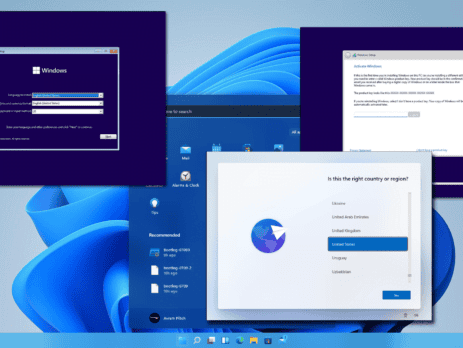
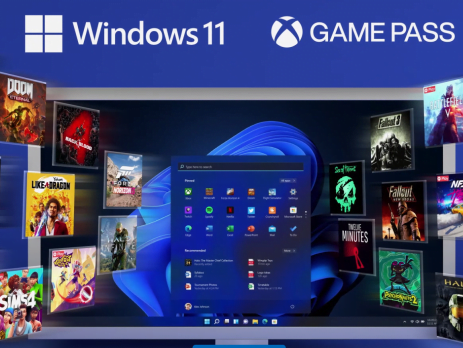
Soon, users will be able to get the first big update for Windows 11. It's about to be deployed. In two weeks, it's going to happen. The name "Windows 11 2022 Update" has been mentioned by Microsoft although Windows 11 22H2 does not yet have an official name. Since RTM was previously released, the effort has been concentrated on performance and bug fixes. For a number of reasons, it is believed that 22H2 will arrive soon. For instance, Microsoft has made its Windows Enterprise Driver Kit (WDK), Software Development Kit (SDK), and Windows Driver Kit (WDK) public (EWDK). These announcements were made in complete secrecy, but they were usually made before the "general public" deployment. This Weekend Microsoft also noted in an update Use this SDK to build Universal Windows Platform (UWP) and Win32 apps for Windows 11 v22H2 and earlier versions of Windows. Note that 22H2 also supports Visual Studio 2022, so developers...
H&R Block Tax Software License Key: Everything You Need to Know

H&R Block tax preparation software is one of the most trusted tools for filing federal and state tax returns in the United States and Canada. Whether you are an individual filing a simple return or a business owner handling complex deductions, H&R Block offers a range of editions to match your needs. This guide covers everything you need to know about buying and activating your H&R Block license key. What Is an H&R Block License Key? An H&R Block license key is a unique activation code that unlocks the full version of the software on your computer. After purchase, you receive this code by email and enter it during installation to activate the product. Each key is tied to a specific edition — Deluxe, Premium, or Business — and covers a single tax year. Need a license? You can check the H&R Block Premium & Business 2024 license for pricing and digital...

How to download Microsoft office 2013

Microsoft Office 2013 is a version of Microsoft Office, a productivity suite for Microsoft Windows. It is the successor to Microsoft Office 2010 and the predecessor to Microsoft Office 2016. MS Office 2013 introduced extended file format support, user interface updates and touch support. MS Office 2013 is suitable for IA-32 and x64 systems and requires Windows 7, Windows Server 2008 R2 or a later version of either. A version of Office 2013 comes included on Windows RT devices. Mainstream support ended on April 10, 2018. Extended support ends on April 11, 2023. Download Microsoft Office 2013 from Microsoft for Windows 10/8/7 (Trial Version) Microsoft Office 2013 Pro Plus for Windows 32-bit: you click here Microsoft Office 2013 Pro Plus for Windows 64-bit: you click here You will see the link to download from Microsoft Link backup Microsoft Office 2013 Pro Plus for Windows 32-bit:...

Download Windows 10 ISO from Microsoft (Trial Version)

How to download Windows 10 iso from Microsoft (trial version) How to Download Windows 10 ISO Using the Media Creation Tool The Media Creation Tool is the method Microsoft recommends for downloading a Windows 10 ISO. It runs on Windows, lets you choose the edition and language, and downloads the ISO directly from Microsoft’s servers. Windows 10 Professional Product Key (32/64-bit)From 29.00 $For a Windows 10 PC, one-time purchaseView productWindows 11 Professional 64-bitFrom 29.00 $For a Windows 11 PC, 1 or 5 PCsView product Step 1: Go to microsoft.com/software-download/windows10 and click Download now to get the Media Creation Tool. Step 2: Run the tool. Accept the licence agreement when prompted. Step 3: Select Create installation media (USB flash drive, DVD, or ISO file) for another PC. Step 4: Choose your language, Windows edition, and architecture (64-bit for most users). Click Next. Step 5: Select ISO file as the media type. Click Next. Step...

How to install Windows 10/11?

On this page you will find detailed textual guidelines for the installation of Windows 10/11. 1. For Windows 10 visit: https://www.microsoft.com/software-download/windows10 For Windows 11 visit: https://www.microsoft.com/software-download/windows11 2. Download the 'Download Tool'. 3. Open the 'Download tool' and accept the Terms and Conditions. 4. Select the option for creating a bootable drive. 5. Select the version and architecture of the Windows 10/11 Installation. * Note: Recommended options are based on the PC/Laptop your running the creation tool from. 6. Select between creating a bootable drive from a USB or ISO (for DVD). 7. Insert drive (USB) to computer, allocate and select it in the tool (USB only). 8. After completing the process, take the Media (USB or DVD) and insert it in the computer onto which you’ll load Windows 10/11. * Note: the computer should be Shut Down and the USB or DVD should be inserted in the computer. 9. Turn on the computer. 10. Immediately after the computer starts booting, press F1 or F2, depending on your manufacturer’s guidelines, to access the BIOS menu. 11. Navigate with the arrow keys to access the Boot Order Menu. 12. Using F4 and F5 put the desired drive (USB or DVD) as first in the boot order. 13. Exit and Save...

H&R Block discount code for returning  customers 2024

Block has your back at tax time or anytime. Current H&R Block customers who have made a purchase from instant-key.com are entitled to a discount on their next order. H&R Block values your support and commitment, which is why we have established a discount program for returning customers, with 50 promotions currently available for you to enjoy. To take advantage of these discounts, remember to use the code 2KFCCDCJ the next time you place an order at instant-key.com. When you're ready to pay for your order, simply copy and paste the coupon code to enjoy a significant discount of up to 50% off (depending on your total purchase). Be sure to select eligible products, or you risk not being able to use the discount code. Existing customer discounts are rare, so it's definitely worth taking advantage of. If you need H&R Block Discount Codes, simply visit instant-key.com for the latest information. Once you've...

What’s the difference: Microsoft 365 vs Office 365

There is a lot to be said about maintaining consistency in product names, but when there are dozens of products, each with multiple variations, identical names can easily cause confusion. Microsoft, you have our attention. THIS IS HOW IT ALL STARTED How the chaos began is as follows: In 2017, Microsoft introduced Microsoft 365, a number of current products offered to enterprises under a single license. The term is comparable to what is already called Office 365. It's simple to understand how the two products can be confused because a lot of people have wrongly referred to Office 365 as Microsoft 365. It gets even more confusing when you learn that Microsoft 365 includes Office 365. Let’s break down the differences: Microsoft 365 vs. Office 365 in brief Office 365 is a suite of cloud-based productivity applications such as Outlook, Word, PowerPoint, and more. Microsoft 365 is a service pack that includes Office 365...

windows server cal licensing guide

What is a Cal ? Sometimes misunderstood as a software product Instead, the CAL (Client Access License) is a license that enables a user or device to access the server's services. If your company uses networked workstations, it's probable that you rely on network server software to carry out certain tasks like file and print sharing. A CAL might be necessary in order to legitimately access this server software. To stay informed on the kind of licensing that is best for you, use this guide! We will discuss server CALs for local network connections in this section. User CALs are the most commonly used license and are used for servers that have users with an undetermined number of devices. If your company's employees require roaming access to the corporate network using numerous devices or if there are more devices than users, this model is advised. Device CAL With Device CALs you purchase a CAL for every device that accesses...

Upgrade to Windows 11

An upgrade differs from an update in that it moves your PC from a previous version of Windows—such as Windows 10—to Windows 11. An update ensures you have the most recent features and security improvements for your current version of Windows. If you want to update your device What are the benefits of Windows 11 over Windows 10? Windows 11 offers new productivity features and functionality designed to meet the challenges of the hybrid world. It has a completely refreshed look and feel that helps you get more done with less stress. Bring balance to your desktop What will happen to my files during the upgrade? The default experience will be for files and data to move forward with the new installation. However, we always recommend that you back up files before installing a new Windows version. If you already sync your files to OneDrive,...

HOW SQL SERVER LICENSING WORKS

What are SQL Servers? A Brief Overview SQL Servers are the most complicated, most expensive, and most critical element of an organization’s software infrastructure and it can be confusing to think about how it works, let alone how to license them. It is easy to get overwhelmed and to simply let your SQL Server sales rep handle it and tell you what you need to purchase and how many. Of course, just because they know their way around their CALs, cores, and sockets does not mean they know what is best for your business. Only you can answer that question. At Instant-key, we strongly believe in educating our clients to improve their understanding of software asset management and software licenses in order to lead to strong, long-term SAM practices after our engagement has concluded. So, today we’re hoping to answer some of your more pressing questions about how to license your SQL...