Microsoft

Everything you need to know about downloading and installing microsoft products like windows, office or even SQL server…

After purchasing Microsoft office, Where do I enter my Product Key?

Where to Enter Your Product Key You can go in one of two directions with this. If your product key is new and unused, or if you bought it from the Microsoft Store First, sign in with your Microsoft account. Then, in the space provided, type in your product key. Finally, you will be given access to your Microsoft Office. If you purchased Microsoft Office through the Microsoft Store, here's how to enter your product key To begin, open your browser and put https://setup.office.com/ into the address bar. Log in or make a new account. 2. Sign in with your Microsoft account, or create one if you don't have one. Be sure to remember this account so that you can install or reinstall Office later, without a product key. 3. Enter your key, without hyphens, if prompted. If the option to your product key doesn't appear, it was automatically entered. 4. Follow the prompts to...
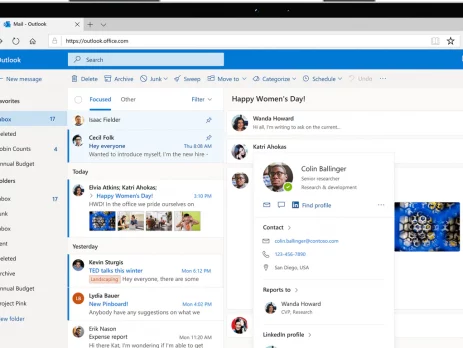
How can I get started using Outlook for the first time? (Microsoft 365)

Before using Outlook for the first time, you will need to add your Outlook profile. 1. Open the Outlook application 2. Enter your Microsoft 365 account details After that, click Connect and enter your email address. When asked, type your Microsoft 365 password or your logon password in the space provided. Your 365 password will normally consist of one uppercase character, three lowercase characters, and four numbers (for example, Dafu3648).If you have forgotten your 365 password, please contact Impact Computing. 3. Wait for Outlook to configure your profile This may take a few minutes to complete. Once Outlook has finished you will see the following screen. You can now click Finish. Outlook will then setup your mailbox and open. If you have access to any shared mailboxes, they will be automatically added to Outlook, but this could take up to 30 minutes. If you haven't received a shared mailbox by this time, please contact Impact Computing. Need a license?...

How do I create a bootable Windows USB drive?

You must first build the installation media before installing Windows from a USB drive. Once the USB flash drive is connected, your computer will be able to read this and boot from it. The methods for making a bootable USB flash drive using Microsoft's Media Creation Tool are outlined here. Download Windows 10 and Secure Affordable Software Keys If you're looking to buy Windows keys cheap or get access to Microsoft office keys cheap, you're in the right place. In this blog, we'll guide you through the process of downloading the appropriate Windows installation media and setting up a bootable USB drive. Plus, we'll show you how to find the cheapest software keys, making your software purchases both easy and affordable. Step-by-Step Guide to Downloading Windows To get started, you first need to download Windows 10 from the official Microsoft website. Here’s how to do it: Download the installation media from Microsoft’s official...

Windows Server 2022 new features

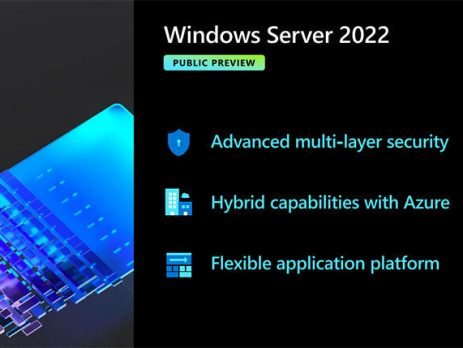
Are you ready for the release of Windows Server 2022? You don't want to miss out on the brand-new Windows Server stuff that our AMAZING technical specialists have collected and delivered! This post goes through some of the new features in Windows Server 2022. Windows Server 2022 builds on the robust foundations of Windows Server 2019 and adds a slew of new features in three key areas: security, Azure hybrid integration and management, and application platform. Furthermore, Windows Server 2022 Datacenter: Azure Edition enables you to take advantage of cloud benefits by keeping your virtual machines up to date while reducing downtime. Enhancements in the following areas are included in the Windows Server 2022 new features: New features of Windows server 2022 ★ Security: With an increasing number of cyber-security threats and, as a result, the effect of incidents rapidly developing, security may be a top issue for our customers. New security...

Does buying an access code give you access to Office 2019?

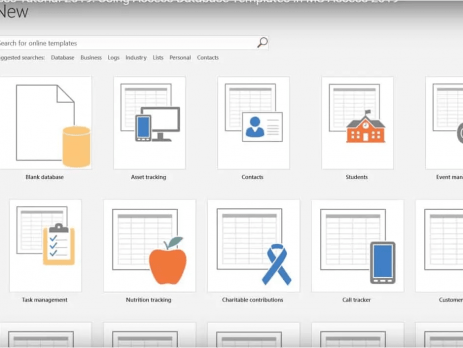
MS Access 2013 as a stand-alone software Microsoft Access is a relational database management tool that allows you to design, create and modify Access type databases Access 2013 has user-friendly interfaces that allow you to import Excel and PDF files, as well as a variety of SQL databases. Even inexperienced users can quickly become acquainted with the software and create many sorts of database applications based on their own needs - for example, for inventory management in businesses, data management, project management, and personal use. As a result, Access 2013 is ideal for small and medium-sized databases with up to ten users. Is it possible to buy only Microsoft Access? Access 2019 is generally only available as part of the Microsoft Office Professional and Professional Plus editions (or by subscription). Users of other Office editions, as well as those who haven't installed Office, will be able to use this software on their...

Look Forward to the Next-Generation Capabilities with Microsoft Office Home 2019 for MacBook

Microsoft Office Home 2019 for MacBook was recently launched, and it includes a number of useful improvements and additions for people who have yet to join the cloud. Microsoft Office Home 2019 for MacBook will not receive any further feature upgrades because it is a one-time release. However, it is an update from Microsoft Office 2016 that includes several next-generation capabilities. Here are the new features available to MacBook users in Microsoft Office Home 2019 1. Powerful Data Analysis When it comes to data administration and analysis, Microsoft Excel still reigns supreme. Users of Microsoft Office Home 2019 for MacBook may look forward to new formulae and charts. This will make it much easier to evaluate and display data in an understandable fashion. Filter charts, timelines, and 2D maps are among the new charts. Users may also use new connections and features such as CONCAT, IFS, SWITCH, and TEXTJOIN. Other changes include the...

Step-by-Step Instructions for Downloading and Installing Windows 8 or 7

Do you want to upgrade your Windows version to Windows 8 or 7? But don’t understand how to download and install Windows 8 or 7? Don’t worry Instant Key have you covered! Here is a complete guide on how to download and install Windows 8 or 7. To download Windows 8 or 7 visits Software Download (microsoft.com). Microsoft has also granted Digital River permission to publish Windows 8 or Windows 7 ISO files for installation via DVD or USB device. After making a slight change to your BIOS settings, you can use the Windows 8 or Windows 7 USB/DVD Download Tool to build an installation medium from the downloaded file, and you can start your machine with the DVD or USB drive. After installing Windows 8 or Windows 7, you must activate it using a product key that comes with your computer or that you purchased from the...

The Beginning Of New Era With Windows 11

Windows is a catalyst for innovation. It's an everlasting platform for each of us to build on. It's also where over a billion people go to work, live their dreams, and connect with the people they care about. We're overjoyed to be releasing Windows 11; the entire user experience brings you closer to the things that matter to you, empowers you to produce, and inspires you to create. Windows 11 gives you a feeling of openness and calm. It provides you with a comfortable environment. It's safe, and everything has been designed with you in mind. You must hold Windows 11 in your hands to fully appreciate its magic. Windows 11's stunning graphics, sounds, and animations, combined with our partners' and Surface's innovative and beautiful hardware, create an experience unlike any other. The Latest start screen of Windows 11 The team thought through every pixel and detail to bring you a...