Microsoft

Everything you need to know about downloading and installing microsoft products like windows, office or even SQL server…

How to install Microsoft office 2021 (online or by phone)

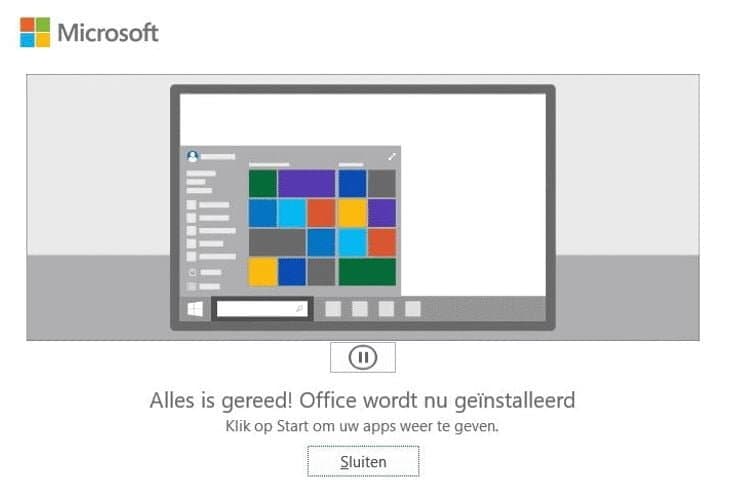
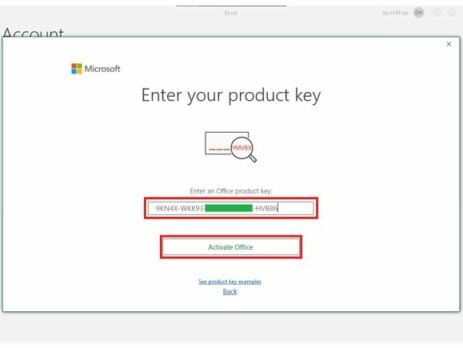
How to install Microsoft office 2021? Microsoft offers several choices to activate your office 2021 (online or by phone).  In this article, we will help you to activate office 2021 by choosing “activation by phone” choice. FIRST STEP : DOWNLOAD OFFICE 2021 Before you start activation, make sure to install the office from the below links. *IMPORTANT: Delete all existing versions of Office on your machine. THIRD STEP : INSTALL OFFICE 2021 After completing your download and buying your office 2021 Pro Plus License Key,  you can open it on Windows 10 using Windows Explorer, by using a right mouse click. Then, double click on Setup file. After executing the file the installation will start. It may take several minutes or more. When the installation completes you’ll see the following screen on your device. FOURTH STEP : ACTIVATE YOUR OFFICE 2021 PRO PLUS 1 ...

Ultimate Guide For Buying Activation Key Of Software In 2022

The activation key of software consists of all the electronic information needed to run a software authentically, which means only the person having a valid key can use the particular software. Different software provides different keys for running the software. Users with activation keys can avail of all the facilities provided in the software. However, the key is a code that allows users to prove their identity as legal owners. Products that require activation software keys cannot be installed or run until a valid activation code is entered. Continue reading if you want to learn more about activation keys. Moreover, if you are tech-savvy and want to buy various software keys for sale, there are some things you must know. How Does Activation Key Of Software Work? Using the activation key of software certifies that a copy of the program is original. The process of activating software is a simple...

Windows 11 22H2, the launch date is near

Soon, users will be able to get the first big update for Windows 11. It's about to be deployed. In two weeks, it's going to happen. The name "Windows 11 2022 Update" has been mentioned by Microsoft although Windows 11 22H2 does not yet have an official name. Since RTM was previously released, the effort has been concentrated on performance and bug fixes. For a number of reasons, it is believed that 22H2 will arrive soon. For instance, Microsoft has made its Windows Enterprise Driver Kit (WDK), Software Development Kit (SDK), and Windows Driver Kit (WDK) public (EWDK). These announcements were made in complete secrecy, but they were usually made before the "general public" deployment. This Weekend Microsoft also noted in an update Use this SDK to build Universal Windows Platform (UWP) and Win32 apps for Windows 11 v22H2 and earlier versions of Windows. Note that 22H2 also supports Visual Studio 2022, so developers...

H&R Block Tax Software License Key: Everything You Need to Know

H&R Block tax preparation software is one of the most trusted tools for filing federal and state tax returns in the United States and Canada. Whether you are an individual filing a simple return or a business owner handling complex deductions, H&R Block offers a range of editions to match your needs. This guide covers everything you need to know about buying and activating your H&R Block license key. What Is an H&R Block License Key? An H&R Block license key is a unique activation code that unlocks the full version of the software on your computer. After purchase, you receive this code by email and enter it during installation to activate the product. Each key is tied to a specific edition — Deluxe, Premium, or Business — and covers a single tax year. H&R Block Editions: Which One Do You Need? H&R Block Deluxe — ideal for homeowners, investors, and individuals claiming itemized...

How to Download Windows 7

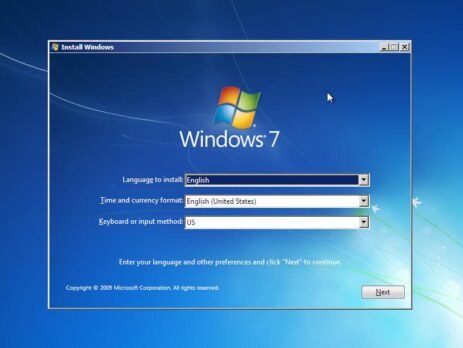
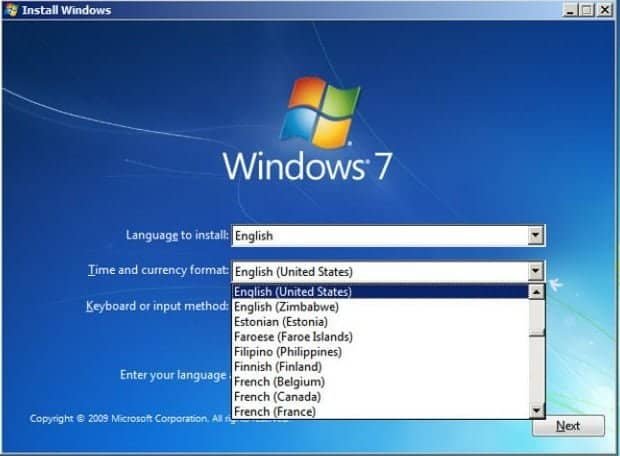
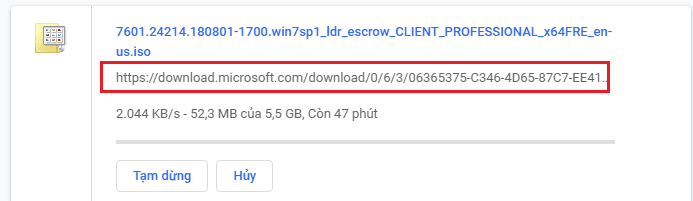
Windows 7 free download direct link from Microsoft (trial version) Windows 7 Home Premium 32 bit: you click here Windows 7 Home Premium 64 bit: you click here Windows 7 Professional 32 bit: you click here Windows 7 Professional 64 bit: you click here Windows 7 Ultimate 32 bit: you click here Windows 7 Ultimate 64 bit: you click here Windows 7 Enterprise 32 bit: you click here Windows 7 Enterprise 64 bit: you click here Windows 7 Home Basic 32 bit: you click here You can see link download Windows 7 ISO direct from Microsoft: Then you read this article to know how to install Windows 7 by usb: https://instant-key.com/how-do-i-create-a-bootable-windows-usb-drive/ After you install Windows 7, you buy a Windows 7 product key to activate it. I sell the Windows 7 product key $32/key. If you want to buy it, you can visit: https://instant-key.com/product/windows-7-ultimate-sp1-digital-licence/ Windows 7 system requirements 1 gigahertz or faster for Windows 7 32-bit or 64-bit...

How to download Microsoft office 2013

Microsoft Office 2013 is a version of Microsoft Office, a productivity suite for Microsoft Windows. It is the successor to Microsoft Office 2010 and the predecessor to Microsoft Office 2016. MS Office 2013 introduced extended file format support, user interface updates and touch support. MS Office 2013 is suitable for IA-32 and x64 systems and requires Windows 7, Windows Server 2008 R2 or a later version of either. A version of Office 2013 comes included on Windows RT devices. Mainstream support ended on April 10, 2018. Extended support ends on April 11, 2023. Download Microsoft Office 2013 from Microsoft for Windows 10/8/7 (Trial Version) Microsoft Office 2013 Pro Plus for Windows 32-bit: you click here Microsoft Office 2013 Pro Plus for Windows 64-bit: you click here You will see the link to download from Microsoft Link backup Microsoft Office 2013 Pro Plus for Windows 32-bit: you click...

Download Windows 10 ISO from Microsoft (Trial Version)

How to download Windows 10 iso from Microsoft (trial version) How to Download Windows 10 ISO Using the Media Creation Tool The Media Creation Tool is the method Microsoft recommends for downloading a Windows 10 ISO. It runs on Windows, lets you choose the edition and language, and downloads the ISO directly from Microsoft’s servers. Step 1: Go to microsoft.com/software-download/windows10 and click Download now to get the Media Creation Tool. Step 2: Run the tool. Accept the licence agreement when prompted. Step 3: Select Create installation media (USB flash drive, DVD, or ISO file) for another PC. Step 4: Choose your language, Windows edition, and architecture (64-bit for most users). Click Next. Step 5: Select ISO file as the media type. Click Next. Step 6: Pick a save location on your computer. The download starts automatically. Step 7: Once complete, you have a Windows 10 ISO file ready for installation or for creating a bootable USB drive. Need...

How to install Windows 10/11?

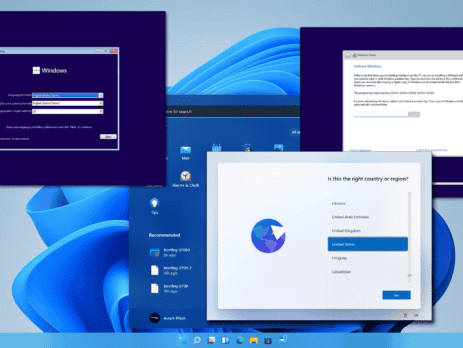
On this page you will find detailed textual guidelines for the installation of Windows 10/11. 1. For Windows 10 visit: https://www.microsoft.com/software-download/windows10 For Windows 11 visit: https://www.microsoft.com/software-download/windows11 2. Download the 'Download Tool'. 3. Open the 'Download tool' and accept the Terms and Conditions. 4. Select the option for creating a bootable drive. 5. Select the version and architecture of the Windows 10/11 Installation. * Note: Recommended options are based on the PC/Laptop your running the creation tool from. 6. Select between creating a bootable drive from a USB or ISO (for DVD). 7. Insert drive (USB) to computer, allocate and select it in the tool (USB only). 8. After completing the process, take the Media (USB or DVD) and insert it in the computer onto which you’ll load Windows 10/11. * Note: the computer should be Shut Down and the USB or DVD should be inserted in the computer. 9. Turn on the computer. 10. Immediately after the computer starts booting, press F1 or F2, depending on your manufacturer’s guidelines, to access the BIOS menu. 11. Navigate with the arrow keys to access the Boot Order Menu. 12. Using F4 and F5 put the desired drive (USB or DVD) as first in the boot order. 13. Exit and Save...

What’s the difference: Microsoft 365 vs Office 365

There is a lot to be said about maintaining consistency in product names, but when there are dozens of products, each with multiple variations, identical names can easily cause confusion. Microsoft, you have our attention. THIS IS HOW IT ALL STARTED How the chaos began is as follows: In 2017, Microsoft introduced Microsoft 365, a number of current products offered to enterprises under a single license. The term is comparable to what is already called Office 365. It's simple to understand how the two products can be confused because a lot of people have wrongly referred to Office 365 as Microsoft 365. It gets even more confusing when you learn that Microsoft 365 includes Office 365. Let’s break down the differences: Microsoft 365 vs. Office 365 in brief Office 365 is a suite of cloud-based productivity applications such as Outlook, Word, PowerPoint, and more. Microsoft 365 is a service pack that includes Office 365...

windows server cal licensing guide

What is a Cal ? Sometimes misunderstood as a software product Instead, the CAL (Client Access License) is a license that enables a user or device to access the server's services. If your company uses networked workstations, it's probable that you rely on network server software to carry out certain tasks like file and print sharing. A CAL might be necessary in order to legitimately access this server software. To stay informed on the kind of licensing that is best for you, use this guide! We will discuss server CALs for local network connections in this section. User CALs are the most commonly used license and are used for servers that have users with an undetermined number of devices. If your company's employees require roaming access to the corporate network using numerous devices or if there are more devices than users, this model is advised. Device CAL With Device CALs you purchase a CAL for every device that accesses...