


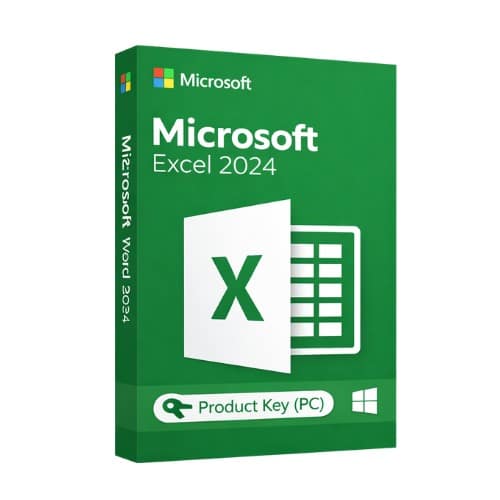
Microsoft Excel 2024
50.00 $
✔ Brand: Microsoft
✔ License: One-time purchase (One-Time Purchase)
✔ Platform: Windows 11 (64-bit)
✔ Devices: 1 PC
✔ Languages: All languages included
✔ Delivery: Instant email delivery
✔ Support: Free setup assistance
- Description
- Reviews (0)
- Why buy from instant-key.com ?
Description
Who Uses Microsoft Excel 2024?
- Finance & Accounting Teams — Build budgets, forecasts, and financial models with advanced formulas
- Data Analysts — Leverage Power Query and dynamic arrays to process large datasets
- Project Managers — Track timelines, resources, and deliverables with PivotTables and charts
- Small Business Owners — Manage inventory, invoices, and sales tracking without subscription costs
- Students & Educators — Access professional-grade spreadsheet tools for coursework and research
License
One-time purchase
Duration
One-Time
Platforms
Windows 11
Devices
1 PC
Delivery
By email
What’s included in Microsoft Excel 2024
✓
AI-powered data insightsAutomatically discover patterns and trends in your datasets without manual analysis
✓
Dynamic array formulasCreate complex calculations that automatically adjust when data ranges change
✓
Enhanced PivotTable functionalityBuild interactive reports with improved filtering and grouping options
✓
Real-time co-authoringWork simultaneously with team members on the same spreadsheet with instant updates
✓
Advanced charting toolsCreate professional visualizations with new chart types and customization options
✓
Power Query integrationConnect and combine data from multiple sources including databases and web services
System requirements — Microsoft Excel 2024
| ›Operating System | Windows 11 (64-bit) |
| ›Processor | 1.6 GHz 2-core processor |
| ›RAM | 4 GB |
| ›Storage | 4 GB available disk space |
How to Activate Microsoft Office 2024
- 1Your activation code is sent by email, available on your account page, and shown on the order confirmation screen.
- 2Go to setup.office.com and sign in with your Microsoft account (or create a free one if needed).
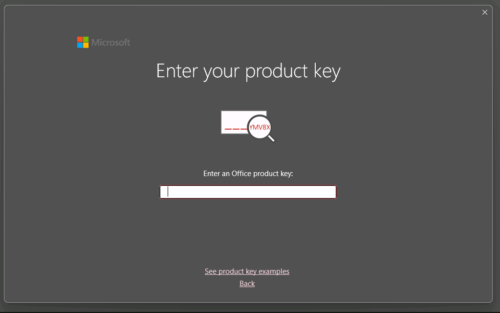
- 3Click Redeem a product key and enter your 25-character activation code.
- 4Follow the on-screen instructions to download and install Microsoft Office on your device.
- 5Launch any Office application — it activates automatically through your signed-in Microsoft account.
Frequently asked questions — Microsoft Excel 2024
How will I receive my license?
Your license is delivered instantly after purchase — by email, on your account page, and on the order confirmation screen.
Is this a valid license?
Yes. You receive a license that activates the full version of the software directly through the publisher’s activation system.
Is payment secure?
Yes. All payments are processed through secure, encrypted checkout — we never store your payment details.
Can I get an invoice?
Yes. An invoice is available on your account page and sent by email after purchase.
Can I open files created in older Excel versions?
Yes, Excel 2024 maintains full backward compatibility with files from Excel 2013 and newer versions, including.xlsx,.xlsm, and.xltx formats.
What is the maximum worksheet size in Excel 2024?
Excel 2024 supports worksheets with up to 1,048,576 rows and 16,384 columns, allowing for extensive data analysis and large dataset management.
Any technical question or hesitation?
Speak with our team via live chat — an expert will guide you and help you resolve any issue before or after your purchase. Our chat is available at the bottom right of every page.
Add a review
You must be logged in to post a review
Log In
Reviews
There are no reviews yet