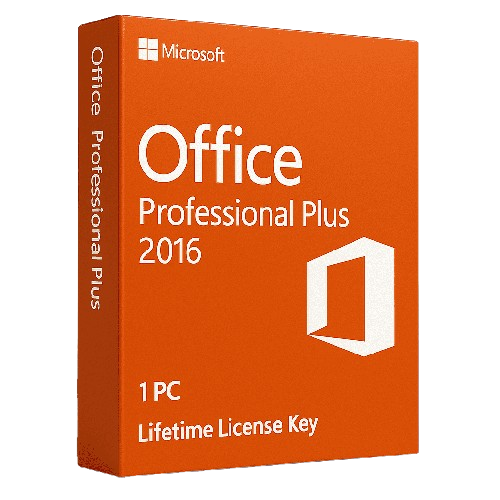
Office 2016 Professional Plus provides a complete suite of productivity applications featuring Word, Excel, PowerPoint, Outlook, Access, Publisher, and OneNote. This single-use digital license includes multilingual support with both 32-bit and 64-bit compatibility options. The software package enables users to handle essential office tasks and document management requirements effectively. Users receive access to all core Microsoft Office applications needed for comprehensive business and personal productivity workflows.
This product no longer receives security updates from Microsoft (end of support: 14 October 2025).
License
One-time purchase
Duration
One-time
Platforms
Windows 10/11
Devices
1 PC
Delivery
By email
Key features
✔Microsoft Word 2016
Create professional documents with advanced proofing tools, PDF compatibility and innovative sharing methods
Create custom desktop and browser-based database applications with user-friendly templates and SQL integration
System requirements
OS
Windows 7 or later
Processor
1 GHz or faster x86/x64-bit processor
RAM
2 GB RAM (32-bit), 4 GB RAM (64-bit)
Storage
3 GB available disk space
How to Activate Microsoft Office 2016
1Your activation code is sent by email, available on your account page, and shown on the order confirmation screen.
2Go to setup.office.com and sign in with your Microsoft account (or create a free one if needed).
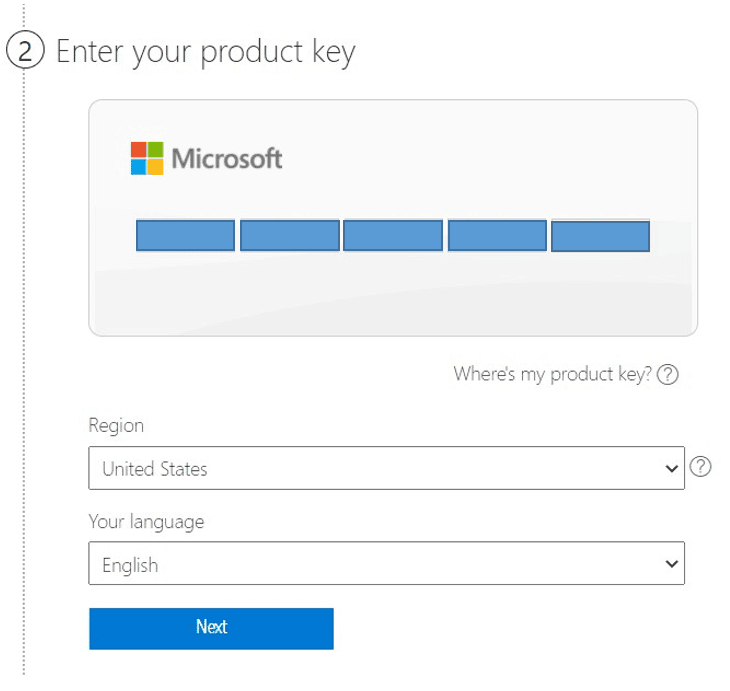
3Click Redeem a product key and enter your 25-character activation code.
4Follow the on-screen instructions to download and install Microsoft Office on your device.
5Launch any Office application — it activates automatically through your signed-in Microsoft account.
Frequently asked questions — Office 2016 Professional Plus
How will I receive my license?
Your license is delivered after purchase — by email, on your account page, and on the order confirmation screen.
Is this a valid license?
Yes. You receive a license that activates the full version of the software directly through the publisher’s activation system.
Is payment secure?
Yes. All payments are processed through secure, encrypted checkout — we never store your payment details.
Can I get an invoice?
Yes. An invoice is available on your account page and sent by email after purchase.
Can I change the language settings after installing Office 2016 Professional Plus?
Yes, Office 2016 Professional Plus is multilingual and allows you to change language settings after installation. Additional language packs can also be downloaded and installed separately as needed.
What applications are included in Office 2016 Professional Plus?
The suite includes seven core applications: Microsoft Word, Excel, PowerPoint, Outlook, OneNote, Access, and Publisher. All applications work together to provide comprehensive productivity and office management capabilities.
💬
Any technical question or hesitation?
Speak with our team via live chat — an expert will guide you and help you resolve any issue before or after your purchase. Our chat is available at the bottom right of every page.
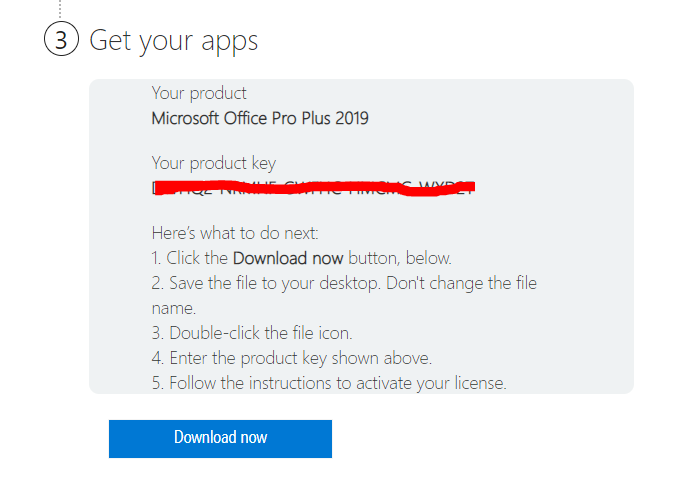
How to download and install any Microsoft office pack by key
To Download Office 2016 or 2019 Home and Student or Pro Plus in your desired language, please follow these instructions:
Before Starting any Microsoft Office Installation, If you have an Office Program installed on your computer, remove it from Control Panel and continue with the operations below.
How to download Microsoft Office Pack in 3 steps :
you will be required to enter the activation code for your software, so put your license code:
Select your Country and Language.
Download and install the Setup File</li>
Finish the Installation Process and Run the Applications.
How to install Microsoft Office Pack :
Once you have entered the correct information, you can begin downloading the software. Follow the on-screen directions and start downloading your registered copy of Microsoft Office.
Run the Activation wizard. Once you run the office installer you need to follow on-screen instructions that appear on the screen. Now, We just need to wait for the office setup to go through the installation process.
Open and Run office Applications. As soon as the installation is complete open any office app and you will get a welcome screen with a message “You’re All Set” and that office is activated.
,
If the key does not work or if there are other issues please contact us before opening a case or leaving negative feedback and we’ll sort it out for you as soon as possible.
Also please don’t forget to leave a positive feedback if you are satisfied!
Du musst angemeldet sein, um eine Rezension abgeben zu können. Anmelden
Warum bei Instant-Key kaufen?
Instant-Key.com ist ein unabhängiger Software-Reseller. Wir liefern Lizenzschlüssel digital, mit Unterstützung bei der Aktivierung bei jeder Bestellung.
Digitale Lizenzschlüssel
Jeder Schlüssel wird nach der Zahlung per E-Mail geliefert, zusammen mit dem Download-Link auf die Website des Herstellers.
Sofortige Lieferung
Nach erfolgreicher Zahlung erhalten Sie Ihren Lizenzschlüssel und den Download-Link
sofort per E-Mail und in Ihrem Kundenkonto, damit Sie direkt mit der Installation beginnen können.
Zahlung per Karte
Wir akzeptieren Visa, MasterCard und American Express für eine einfache und sichere Kaufabwicklung.
Verlässlicher Kundenservice
Unser Team ist über WhatsApp, E-Mail und Live-Chat erreichbar
und hilft bei Installation, Aktivierung und allen weiteren Fragen.
Faire Preise
Software wie Microsoft Office, Windows, Adobe,
Autodesk, CorelDRAW, Antivirenprogramme und Server und mehr zu
fairen Preisen, damit Sie bei Ihren digitalen Werkzeugen sparen.
Verständliche Installationsanleitungen
Jede Bestellung enthält eine klare PDF-Anleitung Schritt für Schritt,
damit auch Erstnutzer ihre Software ohne Mühe installieren und aktivieren.
Hilfe bei der Aktivierung
Wenn ein Schlüssel sich nicht aktivieren lässt, hilft unser Team weiter und kann nach Prüfung einen Ersatz anbieten.
Kunden weltweit
Privatpersonen, Unternehmen, Studierende und Fachleute in aller Welt nutzen
Instant-Key.com für digitale Lizenzen, die
Produktivität, Kreativität und Wachstum unterstützen.
" tracking="option-product-tab-block"]
Ähnliche Produkte
Ausführung wählen
Dieses Produkt weist mehrere Varianten auf. Die Optionen können auf der Produktseite gewählt werden







Rezensionen
Es gibt noch keine Rezensionen