Description
Who Uses Microsoft Access 2024?
- Small Businesses — Track inventory, customers, and orders without expensive enterprise software
- Developers — Prototype database applications with rapid forms and report builders
- Analysts — Import Excel data and run complex SQL queries for deeper insights
- Nonprofits & Schools — Manage donor records, student data, and event registrations affordably
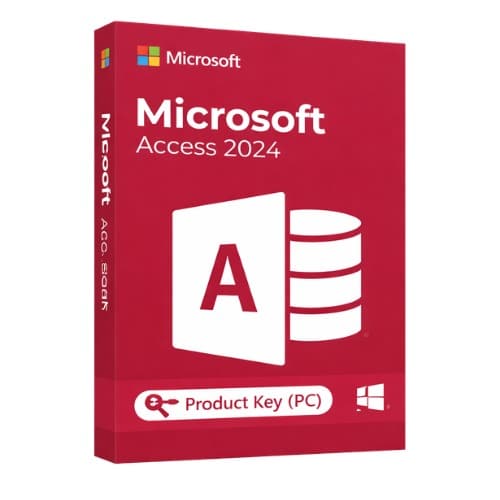
Microsoft Access 2024 provides comprehensive database management capabilities for individuals, businesses, and developers seeking efficient data solutions. This platform enables users to create, manage, and analyze structured information with minimal coding requirements. The software supports custom database applications and detailed reporting while maintaining integration with Microsoft services. Access 2024 features an intuitive interface with powerful tools for data management and enhanced connectivity with cloud services for modern workflow needs.
Key features
✔Easy Database Creation
Build databases from templates or scratch using drag-and-drop interface without advanced coding
✔Advanced Query Tools
Run complex SQL queries with direct SQL view access for faster editing
✔Enhanced Integration
Connect with Microsoft Dataverse, Power Platform, Teams, and Azure databases efficiently
✔Large Address Aware Support
Improved memory usage and performance for handling more complex database operations
✔Modern Interface Controls
New Microsoft Edge browser control integration with improved user interface design
System requirements
| OS |
Windows 10 / Windows 11 |
| Processor |
1.1 GHz or faster, 2-core |
| RAM |
4 GB (64-bit recommended) |
| Storage |
4 GB available space |
| Graphics |
DirectX 9 or higher |
How to activate Microsoft Access 2024
- 1Receive your product key after purchase — by email, on your account page, and on the order confirmation screen.
- 2Go to the official Microsoft setup page (office.com/setup for Office products, or microsoft.com/setup for Windows).
- 3Sign in with your Microsoft account, or create a free one if you don’t have one.
- 4Enter your 25-character product key when prompted.
- 5Download and install — your license is automatically linked to your Microsoft account.
Frequently asked questions — Microsoft Access 2024
How will I receive my license?
Your license is delivered after purchase — by email, on your account page, and on the order confirmation screen.
Is this a valid license?
Yes. You receive a license that activates the full version of the software directly through the publisher’s activation system.
Is payment secure?
Yes. All payments are processed through secure, encrypted checkout — we never store your payment details.
Can I get an invoice?
Yes. An invoice is available on your account page and sent by email after purchase.
Can I use Microsoft Access 2024 on Mac computers?
No, Microsoft Access 2024 is exclusively available for Windows operating systems and does not support Mac computers. It requires Windows 10 or Windows 11 to function properly.
How does Access 2024 compare to Excel for data management?
Access 2024 excels at managing large, structured databases with complex relationships, while Excel is better suited for spreadsheets, calculations, and smaller datasets with simpler data analysis requirements.
💬
Any technical question or hesitation?
Speak with our team via live chat — an expert will guide you and help you resolve any issue before or after your purchase. Our chat is available at the bottom right of every page.
Why Buy From Instant-Key?
Instant-Key.com is an independent software reseller. We deliver license keys digitally, with activation support included on every order.
Digital License Keys
Every key is delivered by email after payment, with the download link to the publisher's own website.
Instant Delivery
After successful payment, your license key and download link are delivered
instantly to your email and user dashboard so you can start installing right away.
Multiple Payment Methods
We support Visa, MasterCard, American Express, PayPal, Apple Pay and Google Pay for a smooth and secure checkout.
Reliable Customer Support
Our team is available through WhatsApp, Email, and Live Chat
to assist with installation, activation, or any questions you may have.
Affordable Pricing
Get premium software like Microsoft Office, Windows OS, Adobe,
Autodesk, CorelDRAW, antivirus tools, servers and more at
competitive prices to help you save on essential digital tools.
Easy Installation Guides
Every order includes a clear step-by-step PDF installation guide
so even first-time users can install and activate their software with ease.
Activation Support
If a key does not activate, our team assists you until it does, or replaces it.
Trusted by Customers Worldwide
Individuals, businesses, students, and professionals around the world rely on
Instant-Key.com for digital licenses that support
productivity, creativity, and business growth.
" tracking="option-product-tab-block"]








Reviews
There are no reviews yet