


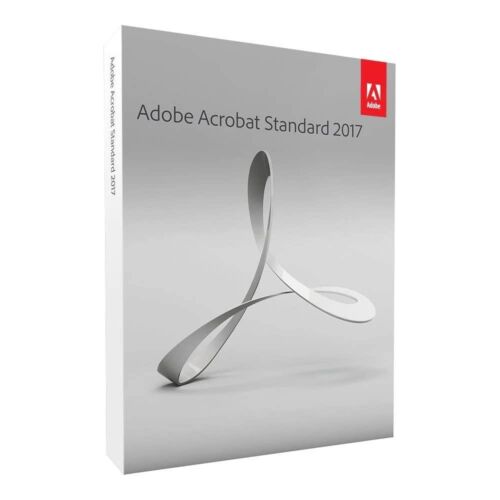
Adobe Acrobat Standard (Windows & macOS)
Price range: 90.00 $ through 140.00 $
- ✔1 year subscription · Renewable
- ✔Compatible with Windows & macOS · 1 user / 2 devices
- ✔PDF creation, editing & signing
- ✔Activation code by email — access on your Adobe account
- ✔Free setup support
Typically activated within 1-2 hours
- Description
- Reviews (0)
- Why buy from instant-key.com ?
Description
Adobe Acrobat Standard provides essential PDF tools for creating, editing, and managing documents across desktop, mobile, and web platforms. This comprehensive solution allows you to edit text and images directly in PDFs, convert files between multiple formats including Microsoft Office documents, and collaborate through commenting and signature features. Perfect for professionals and organizations who need reliable PDF workflows without requiring advanced enterprise features, Acrobat Standard includes the latest available version with flexible licensing for up to 2 devices per user.
Key Features
PDF Editing & Creation
Edit text and images directly in PDFs, convert files from Word, PowerPoint, Excel, images and web pages to PDF format
Document Organization
Combine multiple files into one PDF, split documents, compress file sizes, and organize pages with reorder, rotate, and crop tools
Export & Conversion
Export PDFs to Microsoft Office formats, JPG, PNG, TIFF and other file types for flexible document workflows
Collaboration Tools
Add comments and annotations, request signatures from others, fill and sign electronic forms securely
Share & Protect
Share documents for review, protect PDFs with security features, compare files, and collaborate across teams
System Requirements
| Operating System | Windows & macOS |
| Processor | 1.5 GHz or faster |
| RAM | 1 GB RAM minimum |
| Storage | 2.5 GB available disk space |
How to Activate Adobe Acrobat Standard
- Complete your purchase — your activation code is sent by email and displayed on the confirmation screen.
- Visit adobe.com and sign in to your Adobe account (or create a free account).
- Navigate to Plans & Payment → Manage Plan → Redeem a code.
- Enter your activation code to activate your subscription immediately.
- Download and install the application via the Creative Cloud desktop app or directly from adobe.com.
Frequently Asked Questions
How will I receive my activation code?
Is payment secure?
Can I get an invoice?
How many devices can I install Acrobat Standard on?
Does this include automatic updates to new versions?
Need help? Our support team is available 7 days a week. Contact us via live chat or email for activation assistance, compatibility questions, or any other inquiry.
Add a review
You must be logged in to post a review
Log In





Reviews
There are no reviews yet