


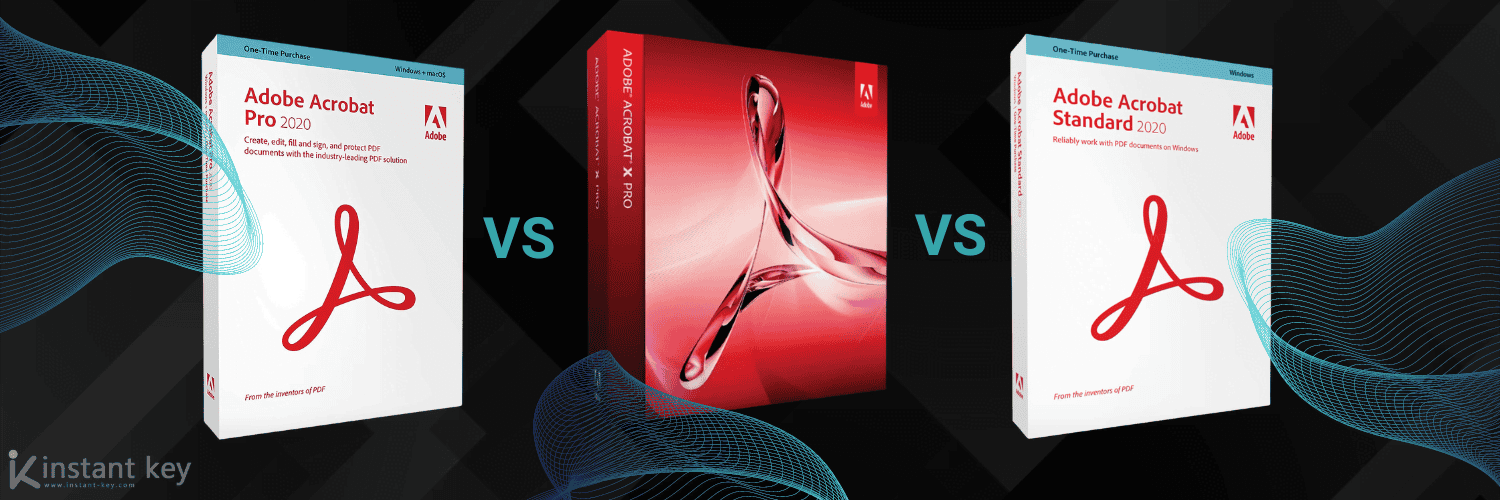
Exploring the differences: Adobe Acrobat Standard, Professional, and X
Two different questions bring people to a page like this. Some want to make sense of Acrobat’s history, from Acrobat X and XI through DC and the subscription era, and work out which generation they’re actually looking at. Others already know they need Acrobat and want to settle one thing: Standard or Pro?
The two get confused often enough that it’s worth separating them. “Standard” and “Pro” are editions, meaning what the software can do. Names like “X” or “2020” are versions, meaning when it was released and how it’s licensed. You pick an edition on features, and a version on whether you want a subscription or a one-time purchase.
You can also browse the full range of Adobe software license keys we supply as an independent software reseller.
A quick history of Acrobat versions
For years Acrobat used plain version numbers. Acrobat X (the Roman numeral for 10) arrived in 2010, followed by Acrobat XI (11) in 2012. If you see “Acrobat X” today, you’re looking at software from over a decade ago. It still handles basic tasks, but it sits well behind current releases.
In 2015 Adobe changed the model with Acrobat DC (“Document Cloud”), and split the product into two tracks that still shape the choice today:
For more on this, see what’s new in Adobe Creative Cloud 2026.
- A subscription track, continuously updated, sold today simply as Adobe Acrobat Standard and Adobe Acrobat Pro.
- A perpetual track (Adobe calls it “Classic”) sold as a dated one-time purchase, for example Acrobat 2020, that you buy once and keep.
Version numbers stopped being the main decision a while ago. The real fork today is subscription vs one-time purchase, and then Standard vs Pro. The perpetual releases (2017, 2018, and 2020) are the ones to look at if you’d rather pay once and own your copy.
Subscription or one-time purchase?
This is where people get stuck, because Adobe pushes the subscription hardest while many buyers simply want to pay once.
If you want to go further, read CorelDRAW 2023 compared with Adobe Photoshop.
A subscription (the current Acrobat Standard or Pro) always gives you the latest features and cloud services, billed monthly or yearly. You’re never on an old version, but you pay for as long as you use it.
A one-time purchase (a perpetual release such as Acrobat 2017, 2018, or 2020) is bought once and owned. You don’t get new features over time and cloud extras are limited, but there’s no recurring bill. For a lot of individuals and small businesses that need reliable PDF editing without a subscription, that’s the more sensible route. Perpetual licences start from around $45, and an older release like 2017 costs less than a newer one like 2020. It’s also the model we focus on: you can compare the Acrobat Standard and Acrobat Pro licences we stock as one-time purchases, with current pricing on each product page.
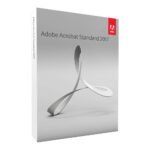
Perpetual release, bought once and owned.
Perpetual release, bought once and owned.
Perpetual release, bought once and owned.
Standard vs Pro: the edition that actually matters
Once you’ve decided how to license it, the real feature question is Standard vs Pro. Both handle the everyday work most people need: creating, converting, and editing PDFs, filling and signing forms, commenting, and combining files. Pro adds a layer of tools aimed at legal, print, and document-heavy professional work.
| Capability | Standard | Pro |
|---|---|---|
| Create, convert & export PDFs | Yes | Yes |
| Edit text and images | Yes | Yes |
| Fill, sign & request signatures | Yes | Yes |
| Comment and review | Yes | Yes |
| Combine multiple files | Yes | Yes |
| Compare two versions of a document | No | Yes |
| Redact (permanently remove content) | No | Yes |
| Advanced OCR on scanned documents | Limited | Yes |
| Print production & preflight tools | No | Yes |
| Validate PDF standards (PDF/A, /X, /E) | No | Yes |
| Platform | Windows | Windows & Mac |
What separates Pro is specific: redaction (actually removing sensitive text, not just hiding it), comparing two document versions, preflight and print-production checks, and validating archival PDF standards. One more practical difference: Pro runs on both Windows and Mac, while Standard is Windows-only. If you’re on a Mac, Pro is your only Acrobat option.
Which one is right for you?
Choose Standard if you mainly create, edit, convert, and sign PDFs, work on Windows, and don’t need redaction or print-production tools. It covers the daily needs of most individuals and offices at a lower price.
Choose Pro if you redact sensitive documents, compare contract revisions, prepare files for professional printing, work with archival PDF standards, or use a Mac. Legal, publishing, and compliance work usually needs Pro.
Stick with an older version like Acrobat X only if your needs are basic and you already own it. It still opens and edits PDFs, but it misses years of features and security updates, and it won’t match what a current release does. If you’re buying today, there’s little reason to start there.
Not sure Acrobat is even the right tool? It’s worth weighing against alternatives. Our comparison of Adobe Acrobat and Nitro covers a common one, and if you’re looking at the wider Adobe suite, see how the Creative Cloud versions compare.
We cover this in more detail in our tips for Adobe Acrobat Pro 2024.
Frequently asked questions
What’s the current version of Adobe Acrobat?
The current products are Adobe Acrobat Standard and Adobe Acrobat Pro on the subscription track, kept continuously up to date, alongside dated perpetual releases for those who prefer a one-time purchase. Adobe dropped the “DC” label from the names, but it’s the same lineage.
Is Acrobat X still usable?
Yes, for basic tasks. Acrobat X (2010) still opens, edits, and creates PDFs, but it’s well behind current versions on features and no longer receives security updates. For anything sensitive or professional, a newer release is safer.
What’s the difference between Standard and Pro?
Standard covers everyday PDF work: create, edit, convert, sign, and comment. Pro adds redaction, document comparison, advanced OCR, print-production and preflight tools, PDF-standard validation, and Mac support. If you don’t recognize those Pro-only features as things you need, Standard is usually enough.
Should I subscribe or buy a one-time licence?
Subscribe if you want the newest features and cloud services and don’t mind a recurring bill. Buy a one-time (perpetual) licence if you’d rather pay once and keep a stable version. That’s the practical choice for many individuals and small businesses.
Which perpetual Acrobat versions can I buy once?
The perpetual releases are Acrobat 2017, 2018, and 2020. They’re one-time purchases you own outright, priced by release: an older 2017 licence costs less than a newer 2020 one, starting from around $45. Check the product page for each version’s current price.
Does Acrobat run on Mac?
Acrobat Pro runs on both Windows and Mac. Acrobat Standard is Windows-only, so Mac users who need a desktop Acrobat should look at Pro.
Buying your licence
As an independent reseller, we supply Acrobat licences as one-time purchases with digital delivery and activation instructions included, so you can install without a subscription and without waiting on a shipment. If you’ve worked out which edition fits, you can go straight to Acrobat Standard for everyday PDF work or Acrobat Pro for redaction, comparison, and print-ready output. Current pricing is always on the product pages.
Products in this article
Digital delivery by email · Secure payment by card, Apple Pay and Google Pay


Leave a Reply