





Microsoft Teams Enterprise
Price range: 1,500.00$ through 3,500.00$
✔️ 100% Genuine version.
✔️All languages included.
✔️ Both 32/64 bit version support
✔️ No Monthly Subscription Fees.

- Description
- Additional information
- Reviews (0)
- Installation Guide
- Q & A
- Why buy from instant-key.com ?
Description
Microsoft Teams Enterprise
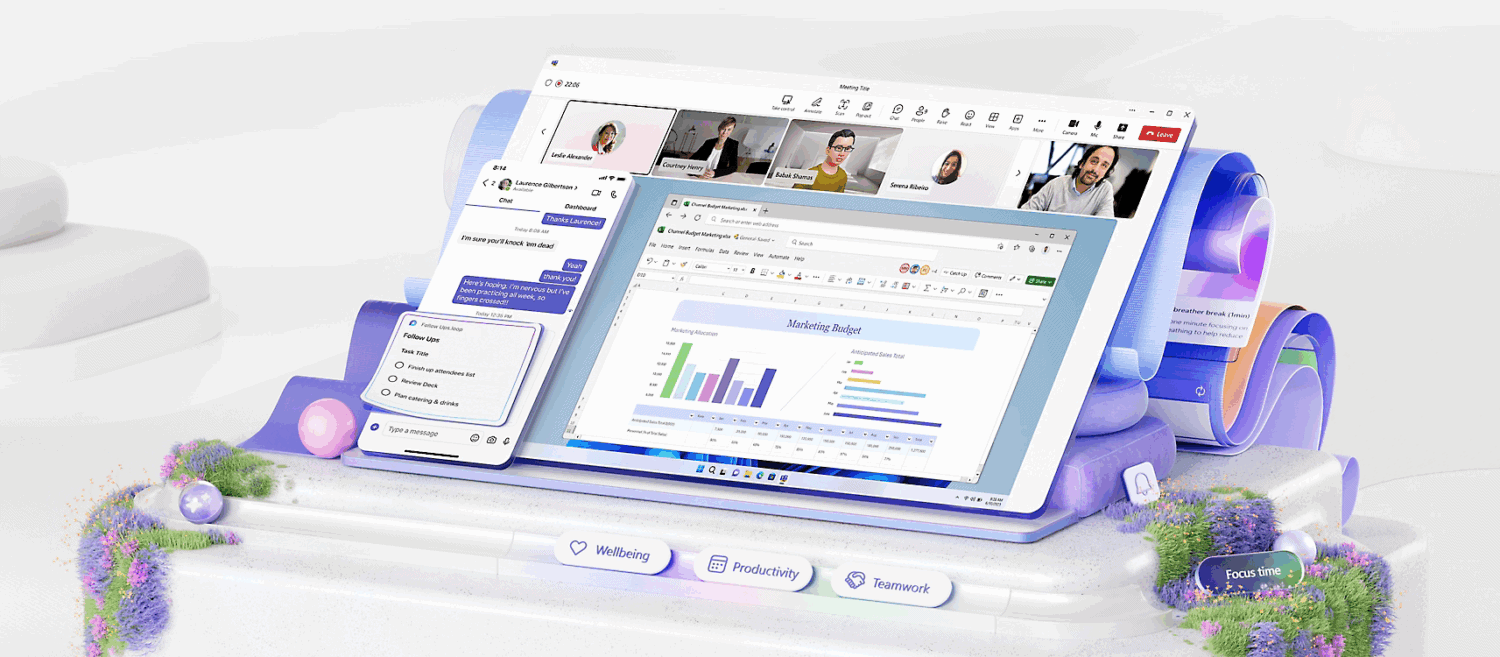
Microsoft Teams Enterprise is the ultimate communication and collaboration platform designed for businesses of all sizes. As part of the Microsoft 365 ecosystem, Teams Enterprise goes beyond basic chat and meetings to offer advanced features like large-scale webinars, enterprise-grade security, and powerful integrations with Microsoft Office and third-party tools.
Whether you’re managing a remote workforce, hosting global webinars, or coordinating projects across departments, Microsoft Teams Enterprise ensures your team stays connected and productive.
Key Features
 🔒 Enterprise-Grade Security & Compliance
- Microsoft 365 security framework
- Data loss prevention (DLP)
- Discovery and legal hold
- Multi-factor authentication (MFA)
📞 Advanced Calling and Meeting Capabilities
- Host up to 1,000 participants per meeting
- Dial-in audio conferencing
- Cloud voicemail and call queues
- Microsoft Teams Phone integration
💼 Productivity and Collaboration Tools
- Seamless integration with Word, Excel, PowerPoint, Outlook, SharePoint
- Real-time document co-authoring
- Persistent chat, shared channels, and threaded conversations
🧩 Custom Workflows and Integration
- Connect to 700+ third-party apps
- Create custom bots and workflows with Power Automate
- API access for deep customization
🌐 Scalability and Global Reach
- Suitable for businesses with 300+ users
- Multi-language support
- Geo-redundant data centers for high availability
💼 Teams Enterprise vs. Teams Free: Feature Comparison
| Feature | Teams Free | Teams Enterprise |
| Maximum Meeting Duration | 60 minutes | 30 hours |
| Maximum Meeting Participants | 100 | 1,000 |
| Storage Per User | 5 GB | 1 TB |
| Microsoft 365 Integration | Basic | Full Integration |
| Admin & IT Controls | Limited | Advanced |
| Security Features | Basic Encryption | Enterprise-grade Security |
| Support | Community Support | 24/7 Microsoft Support |
| Compliance Tools | Not Available | Included (DLP, eDiscovery) |
| App Integrations | Limited | Extensive (3rd-party + internal apps) |
| SLA Uptime Guarantee | No | Yes (99.9% uptime) |
Frequently Asked Questions
Q: Can I integrate Teams with Zoom or Slack?
A: Yes, Teams supports interoperability with many popular platforms via connectors and APIs.
Q: Do I need Microsoft 365 to use Teams Enterprise?
A: A Microsoft 365 account is required, but it can be bundled with your Teams Enterprise license.
Q: What’s the difference between Teams Free and Teams Enterprise?
A: Teams Enterprise offers advanced meeting capabilities, compliance tools, larger meeting capacity, and integration with Microsoft security and productivity tools.
Additional information
| User | Microsoft Team Enterprise 35 Users, Microsoft Team Enterprise 100 Users |
|---|
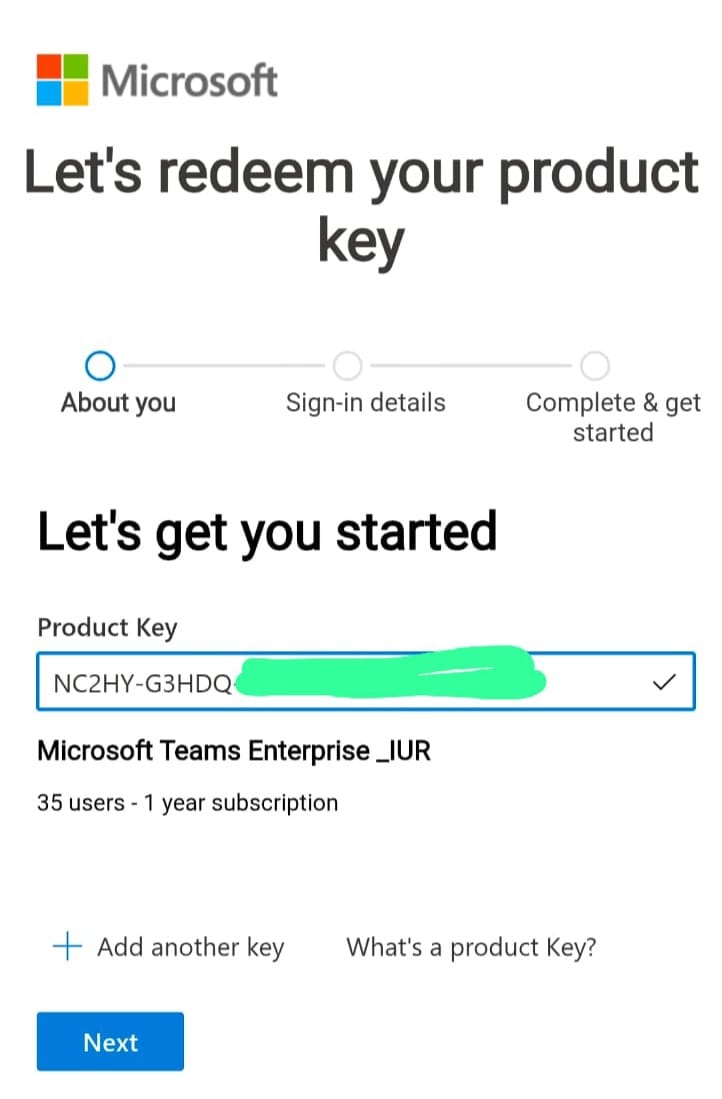
How to Activate Microsoft Teams Enterprise(35 Users with Teams – 1 Year License)
1. Activate Microsoft Teams Enterprise License
Go to the official Microsoft product key activation page:
https://signup.microsoft.com/productkeystart
- Sign in with your Microsoft Admin Account.
- If you don’t have one, click Create Account to set up a new admin profile.
- Enter your Microsoft Teams Enterprise (1-Year) Product Key and click Next.

- Follow the on-screen steps to complete the license activation.
After successful activation, open the Microsoft Admin Center:
https://admin.microsoft.com
- Go to Users → Active users
- Select users and click Manage product licenses
- Assign Microsoft Teams Enterprise licenses to up to 35 users
2. Access Microsoft Teams for Users
After licenses are assigned:
- Users should sign in at:
https://teams.microsoft.com
or
https://office.com - Log in using the assigned work email and password
- Microsoft Teams will activate automatically
Users can start chatting, meetings, and collaboration
Need Help?
If you face any issues during activation or installation, simply reply to your order email.
Our support team is available 24/7 and can assist you remotely via AnyDesk.






Reviews
There are no reviews yet