

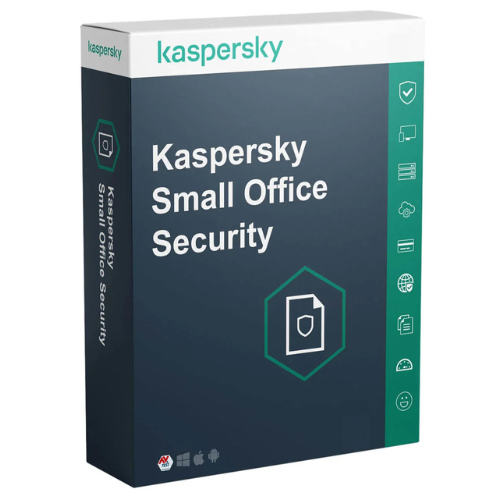
Kaspersky Small Office Security
Price range: 95.00 $ through 129.00 $
- ✔1 year subscription · Renewable
- ✔Works on Windows, macOS, Android & iOS · 1 device
- ✔Real-time protection
- ✔Sent by email after checkout
- ✔Free setup support
Delivered in minutes by email
- Description
- Reviews (1)
- Why buy from instant-key.com ?
Description
Kaspersky Small Office Security offers comprehensive privacy and data protection designed specifically for small businesses. This robust security solution shields desktop computers, mobile devices, and file servers against viruses, malware, and ransomware attacks. The software includes user-friendly features like Safe Money for secure transactions and a Password Manager for credential protection. With real-time scanning, automatic updates, and centralized management capabilities, it provides peace of mind while allowing business owners to focus on growth rather than security concerns.
Key Features
Multi-Device Protection
Shields desktop computers, mobile devices, and file servers from viruses, ransomware, spyware, and other malware with real-time scanning and automatic updates
Email and Web Security
Scans emails and attachments for threats while blocking access to malicious or inappropriate websites to prevent security breaches
Data Protection Tools
Includes file encryption for sensitive business data, secure online transactions with virtual keyboard, and browser protection features
Password Manager
Securely stores and manages passwords for online accounts in a private vault, generating strong passwords and automatically filling login fields
Mobile Security Features
Extends protection to Android and iOS devices with anti-theft capabilities for remotely locking lost or stolen mobile devices
Centralized Management Console
Manages all devices and security settings from a single interface that is easy to install and configure, even for non-technical users
System Requirements
| Operating System | Windows, macOS, Android & iOS |
| Processor | Compatible with current minimums for each supported platform |
| RAM | See vendor requirements |
| Storage | See vendor requirements |
How to Activate Kaspersky Small Office Security
- Complete your purchase — your license key is sent by email and displayed on the confirmation screen.
- Download the latest installer from the vendor’s official website.
- Run the installer and follow the on-screen setup wizard.
- Enter your license key when prompted to activate the software.
- Allow the initial scan to complete — your device is now fully protected.
Frequently Asked Questions
How will I receive my license?
Is this a valid license?
Is payment secure?
Can I get an invoice?
Does this protect file servers in addition to regular computers?
Can I manage security for all devices from one location?
Need help? Our support team is available 7 days a week. Contact us via live chat or email for activation assistance, compatibility questions, or any other inquiry.
1 review for Kaspersky Small Office Security
1-1 of 1 review
Add a review
You must be logged in to post a review
Log In





working great