


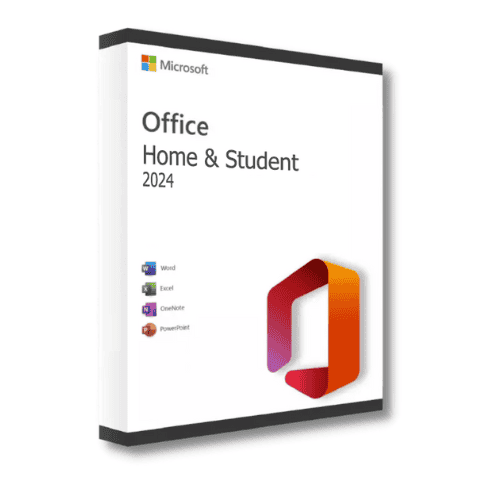
Microsoft Office 2024 Home & Student
Price range: 129.00 $ through 270.00 $
✔ Brand: Microsoft
✔ Apps Included: Word, Excel, PowerPoint, OneNote
✔ License Type: One-time purchase (one-time purchase)
✔ Platform: Windows 10 / 11
✔ Format: Digital download + product key
✔ Delivery: Instant email delivery
✔ Support: Free activation assistance
- Description
- Reviews (0)
- Why buy from instant-key.com ?
Description
Who Is Office 2024 Home & Student For?
- Students & Educators — Draft essays in Word, organize lecture notes in OneNote, and build class presentations in PowerPoint.
- Home & Family Users — Track household budgets in Excel, create invitations, and manage family projects.
- Budget-Conscious Professionals — Get full desktop Office apps without Microsoft 365’s recurring costs.
Note: This edition does not include Outlook or Publisher. Need email and desktop publishing? See Office 2024 Professional.
Who Should Choose Office 2024 Home & Student?
This edition is ideal for:
- Students — Write essays in Word, build study notes in OneNote, and create class presentations in PowerPoint.
- Home Users — Manage household budgets in Excel, draft letters, and organize family projects.
- Budget-Conscious Buyers — Avoid recurring Microsoft 365 fees while keeping full desktop apps.
Note: This license does not include Outlook or Publisher. Need email and advanced tools? Consider Office 2024 Professional.
Microsoft Office 2024 Home & Student product key
Microsoft Office 2024 Home & Student is designed specifically for students and households, with all the essential applications for school, study and everyday home tasks. It is a one-time purchase for Windows — no subscription, no recurring fees. Activate it with your product key and keep using it on your PC. Not sure which edition you need? See our Office 2024 vs Office 2021 comparison.
To activate your software and verify its authenticity, a product key is required. A product key is a 25-character alphanumeric code formatted like this: XXXXX-XXXXX-XXXXX-XXXXX-XXXXX.
Applications included
- Word: Create, edit and share text documents, with templates and formatting options well suited to school and home use.
- PowerPoint: Build presentations with easy-to-use templates, animations and the tools needed to make your slides stand out.
- OneNote: Capture notes and organise them in a digital binder with tabs for class notes, ideas and research.
Key features
- One-time purchase: Pay once and own your licence — an economical choice for students and families, with no subscription.
- Collaboration: Basic sharing options for group projects and assignments, with OneDrive for fast file storage and sharing.
- Built for learning: Features that support efficient study and academic work.
System requirements
- Operating System: Windows 10 (version 20H2 or later) or Windows 11
- Processor: Dual-core processor, 1.6 GHz or higher
- RAM: 4 GB (32-bit) or 8 GB (64-bit)
- Hard Disk Space: At least 4 GB of free space
- Display: 1280 x 768 resolution
How to activate Microsoft Office 2024 Home & Student
- 1Your activation code is sent by email, available on your account page, and shown on the order confirmation screen.
- 2Go to setup.office.com and sign in with your Microsoft account (or create a free one if needed).
- 3Click Redeem a product key and enter your 25-character activation code.
- 4Follow the on-screen instructions to download and install Microsoft Office on your device.
- 5Launch any Office application — it activates automatically through your signed-in Microsoft account.





Reviews
There are no reviews yet