


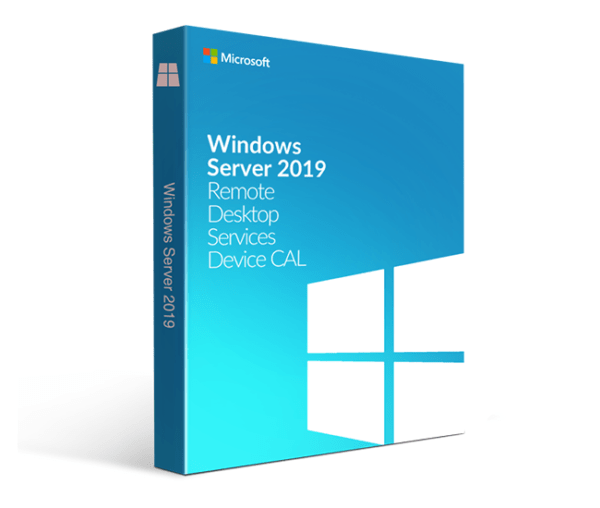
Windows Server 2019 RDS Device CAL
Price range: 89.00 $ through 100.00 $
- ✔one-time purchase license — pay once
- ✔Works on Windows Server 2019 · 1 device
- ✔All languages included
- ✔Sent by email after checkout
- ✔Free setup support
Delivered in minutes by email
- Description
- Reviews (0)
- Why buy from instant-key.com ?
Description
Windows Server 2019 RDS Device CAL provides Remote Desktop Services licensing that enables users to access graphic desktops and Windows applications remotely through Windows Server 2019. This CAL version includes innovations in simplified IT management, enhanced user experience, and improved security features. The license maintains compatibility with existing Windows Server 2016 Core licenses while offering forward-compatible licensing with high-availability RD Licensing servers and Express Updates functionality for streamlined administrative processes.
License
One-time purchase
Duration
One-time
Platforms
Windows Server 2019
Devices
1 device
Delivery
By email
Key features
✔High-availability RD Licensing servers
Forward-compatible licensing management across multiple RDS releases with simplified administration
✔Express Updates
Saves time during future update installations with streamlined deployment process
✔Discrete Device Assignment for GPU virtualization
Increased security, VM isolation, and performance for graphic-intensive workloads
✔Built-in camera redirection
High-level redirection of attached video cameras for optimal streaming experience
✔Performance Counters APIs
Partners can quickly access data to create monitoring dashboards and experiences
✔Modern notifications for RemoteApp
Action Center integration helps users accomplish more with applications like Microsoft Outlook
System requirements
| OS | Windows Server 2019 |
| Processor | 1.4 GHz 64-bit processor |
| RAM | 512 MB |
| Storage | 32 GB available disk space |
| Graphics | DirectX 9 graphics device with WDDM 1.0 or higher driver |
How to Apply an RDS CAL
- 1Your CAL licence key is sent by email, available on your account page, and shown on the order confirmation screen.
- 2For a full step-by-step guide to applying CALs on Windows Server, see our article: Windows Server CAL Licensing Guide.
- 3Open RD Licensing Manager on your Windows Server → Activate Server → Install Licenses, then enter your RDS CAL key when prompted.
- 4Enter your licence key following the wizard prompts — the CAL is now associated with your Windows Server installation.
- 5No software download is required. CALs are access licences tracked by the built-in Windows Server licensing tools.
Frequently asked questions — Windows Server 2019 RDS Device CAL
How will I receive my license?
Your license is delivered after purchase — by email, on your account page, and on the order confirmation screen.
Is this a valid license?
Yes. You receive a license that activates the full version of the software directly through the publisher’s activation system.
Is payment secure?
Yes. All payments are processed through secure, encrypted checkout — we never store your payment details.
Can I get an invoice?
Yes. An invoice is available on your account page and sent by email after purchase.
What’s the difference between User CAL and Device CAL for RDS?
Device CAL licenses a specific device to connect to RDS regardless of user, while User CAL licenses a specific user to connect from any device. Choose based on your usage pattern.
Can I use Windows Server 2016 Core licenses with 2019 Device CALs?
Yes, existing Windows Server 2016 Core licenses are compatible with 2019 device licenses, giving IT departments more time to upgrade to the latest server operating system version.
Any technical question or hesitation?
Speak with our team via live chat — an expert will guide you and help you resolve any issue before or after your purchase. Our chat is available at the bottom right of every page.
Add a review
You must be logged in to post a review
Log In
Reviews
There are no reviews yet