






Windows 10 Education

23.00$
 100% Genuine (Retail Version).
Both 32/64 bit version support
All languages version support.
Online update support.
Lifetime effective

- Description
- Reviews (2)
- Q & A (1)
- Why buy from instant-key.com ?
Description
Windows 10 Education activation key
We offer you Windows 10 Edu, which is now one click away, with inexpensive and secure devices, sophisticated educational tools, and free professional development possibilities. If you buy it now, you’ll get the activation key and a lifetime license for this program emailed to you right away. Please keep in mind that the activation key is only good for one computer.
Product Details
- Brand: Microsoft
- Released on: 08-06-2015
- Platform: Windows 10
- Format: Single-Use Digital Licence
- Compatibility: 32-bit and 64-bit
- Language: Multilingual (it is possible to change language settings after installation; Language Interface Packs are also available for download separately)
Download Windows 10 Education, the operating system for computers at colleges and universities
Windows 10 Education description:
Windows 10 Education is based on Windows 10 Enterprise and provides many schools with the enterprise-grade manageability and security they require. Windows 10 Education is essentially a modified version of Windows 10 Enterprise with educational-specific default settings, including the removal of Cortana*. Tips, tricks, and suggestions, as well as Microsoft Store suggestions, are disabled by default. Manage Windows 10 and Microsoft Store tips, methods, and suggestions include more information on these default settings.
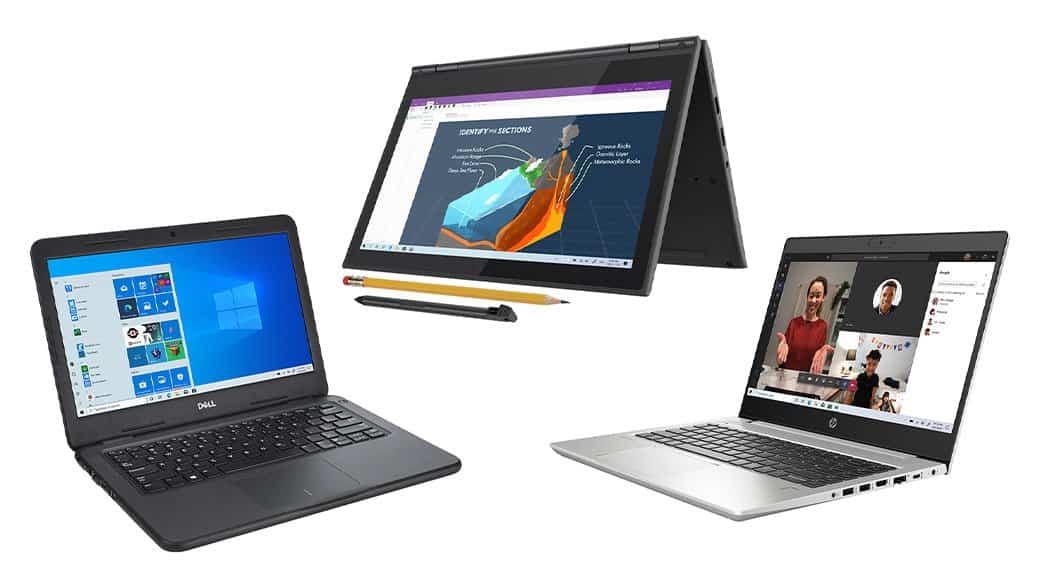 Microsoft Volume Licensing makes Windows 10 Education available. Customers who already have Windows 10 Education can upgrade to version 1607 by using Windows Update or the Volume Licensing Service Center. All K-12 customers should use Windows 10 Education since it is the most complete and secure edition for educational situations. If you don’t have access to Windows 10 Education, speak with a Microsoft representative or learn more here.
Customers who deploy Windows 10 Enterprise can use policies to customize the product to have UI feature settings that are similar to Windows 10 Education. Manage Windows 10 and Microsoft Store tips, techniques, and recommendations has further information on these rules and the configuration tasks required. Customers utilizing commercial Windows 10 Enterprise should read the document and apply the settings that are appropriate for their situation.
For any other questions, contact Microsoft Customer Service and Support.
Functions reserved for Pro, Enterprise, and Education versions
Here the Family version (home) is excluded. These functions are in fact only useful in a professional environment and not in a family environment. However, they may be of interest to small businesses and advanced users or with specific needs.
- Join a domain;
- Group strategies;
- BitLocker (drive encryption);
- Internet Explorer Mode for Business (EMIE);
- Restriction of access;
- Remote desktop control;
- Azure Active Directory cloud apps;
- Windows Store Business (Azure Active Directory license required);
- Protection of corporate data;
- Windows Update and Current Branch Business (advanced update management).
Only for Enterprise and Education versions
For these two versions, advanced functions will allow the computer administrator to manage permissions and customize Windows to restrict or control certain features. Uses that do not concern individuals or small businesses.
- Remote Access Direct Access;
- Windows To Go (Windows on a USB key);
- AppLocker (restricts access to applications);
- BranchCache (optimization of network bandwidth);
- Limiting access to the start screen;
- UX granular control;
- Credential Guard and Device Guard security (subject to compatibility).
Only owners of an Enterprise version will be able to benefit from extended long-term support.
System Requirements
‣ Required Processor: 1 GHz processor or System on a Chip (SoC)
‣ Required Memory: 1 GB RAM (32-bit); 2 GB RAM (64-bit)
‣ Required Hard Disk Space: 16 GB (32-bit); 32 GB (64-bit)
‣ Required Display: 800 x 600 screen resolution or higher
‣ Required Graphics Card: DirectX® 9 graphics processor with WDDM 1.0 driver
‣ Required Connectivity: Internet access (fees may apply)
FAQ’s
Does this include both 32-bit and 64-bit installers?
– Yes, your purchase includes access to both 32-bit and 64-bit versions. You can choose which one to install based on your system.
Is this license valid for students only?
– No, this version does not require academic verification. It is available for any user, though originally designed for educational institutions.
Can I transfer the license to another PC?
– No, the license is typically valid for activation on one device only and is non-transferable.
Can I change system language after installation?
– Yes, Windows 10 Education supports multiple languages, and you can install additional language packs.
2 reviews for Windows 10 Education
Q & A
Hi Larry,
You can check Windows 11 price and infos here : https://instant-key.com/shop/microsoft/microsoft-windows-operating-system/windows-11-home-product-key



Excellent service
As advertised, download was delivered in a timely manner and worked instantly. Will definitely use your service again.