


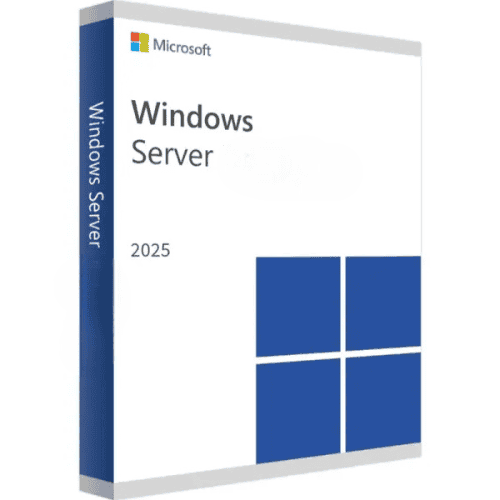
Windows Server 2025
Price range: 120.00 $ through 160.00 $
- ✔Lifetime license — pay once
- ✔Works on Server hardware · 1 server
- ✔All languages included
- ✔Sent by email after checkout
- ✔Free setup support
Delivered in minutes by email
- Description
- Reviews (1)
- Why buy from instant-key.com ?
Description
Windows Server 2025 serves as Microsoft’s latest server operating system, built for organizations managing complex IT infrastructures. Released in 2024, this platform consolidates Active Directory management, Hyper-V virtualization, and enhanced security protocols into a single solution. Available in Standard and Datacenter editions, each version addresses different virtualization requirements while maintaining comprehensive hybrid cloud connectivity and advanced threat protection capabilities.
License
Perpetual
Duration
Lifetime
Platforms
Windows Server 2025
Devices
1 server (CALs sold separately)
Delivery
By email
Key features
✔Hyper-V Virtualization Rights
Run 2 VMs with Standard edition or unlimited VMs with Datacenter edition
✔Active Directory Domain Services
Centrally manage user accounts, computers, and security policies across your network
✔Storage Spaces Direct
Create highly available storage clusters using local server drives without external arrays
✔Azure Arc Integration
Manage on-premises servers alongside Azure resources through unified control plane
✔Windows Defender Application Control
Block unauthorized applications and scripts from executing on critical server workloads
System requirements
| OS | Clean server hardware installation |
| Processor | 1.4 GHz 64-bit processor |
| RAM | 2 GB minimum (4 GB recommended) |
| Storage | 32 GB available disk space |
How to Activate Windows Server 2025
- 1Your product key is sent by email, available on your account page, and shown on the order confirmation screen.
- 2Download the official Windows Server ISO from microsoft.com/evalcenter — select your Server edition. Your retail key activates the full version, not only the evaluation period.
- 3Install Windows Server on your server hardware or virtual machine (Hyper-V, VMware, etc.).
- 4After installation, go to Settings → System → Activation and click Change product key, then enter your 25-character key.
- 5Click Activate to complete online activation. No Microsoft account required — an internet connection is sufficient.
Frequently asked questions — Windows Server 2025
How will I receive my license?
Your license is delivered after purchase — by email, on your account page, and on the order confirmation screen.
Is this a valid license?
Yes. You receive a license that activates the full version of the software directly through the publisher’s activation system.
Is payment secure?
Yes. All payments are processed through secure, encrypted checkout — we never store your payment details.
Can I get an invoice?
Yes. An invoice is available on your account page and sent by email after purchase.
What’s the difference between Standard and Datacenter editions?
Standard edition includes rights for 2 virtual machines, while Datacenter edition allows unlimited virtual machines on the same physical server. Both include identical core features.
Do I need Client Access Licenses (CALs) with Windows Server 2025?
Yes, you need CALs for each user or device accessing the server. CALs are sold separately and required regardless of which edition you choose.
Any technical question or hesitation?
Speak with our team via live chat — an expert will guide you and help you resolve any issue before or after your purchase. Our chat is available at the bottom right of every page.
1 review for Windows Server 2025
1-1 of 1 review
Add a review
You must be logged in to post a review
Log In





Key not instant, took a day, but worked…