


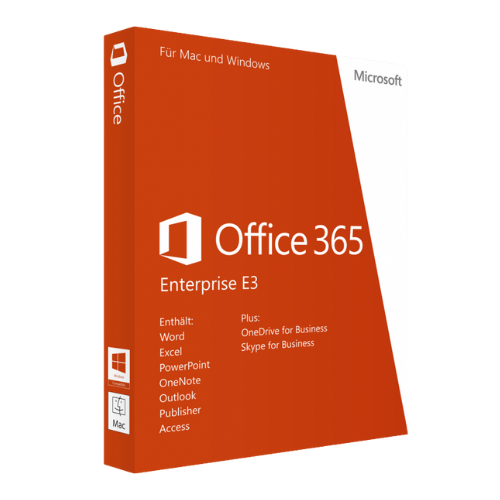
Microsoft 365 E3
Price range: 1,500.00 $ through 30,500.00 $
- ✔1 year subscription
- ✔Works on Windows & macOS · 5 PCs/Macs per user
- ✔All languages included
- ✔Sent by email after checkout
- ✔Free setup support
Delivered in minutes by email
- Description
- Reviews (0)
- Why buy from instant-key.com ?
Description
Microsoft 365 E3 Annual Subscription License offers comprehensive productivity software designed for businesses requiring advanced collaboration and security features. This enterprise-level subscription includes premium Office applications such as Word, Excel, PowerPoint, and Outlook, allowing employees to work efficiently across multiple devices and locations. The annual licensing structure provides continuous feature updates, enhanced security protocols, and cloud-based collaboration tools while maintaining cost-effective pricing for organizations seeking complete workplace solutions.
License
Subscription
Duration
1 year
Platforms
Windows, macOS, iOS, Android
Devices
5 PCs/Macs per user
Delivery
By email
Key features
✔Enhanced Office Applications
Advanced features in Word, Excel, PowerPoint, and Outlook for complex assignments
✔OneDrive Storage and Collaboration
1 TB of cloud storage per user for secure file storage and sharing
✔Advanced Security Measures
Azure Active Directory, data loss prevention, and advanced threat protection for data security
✔Device Management
Centralized device and user management through Microsoft Intune and Azure Active Directory
✔Microsoft Teams Integration
Integrated collaboration platform for enhanced team communication and project coordination
System requirements
| OS | Windows 10 or later, macOS 10.15 or later |
| Processor | 1.6 GHz or faster, 2-core processor |
| RAM | 4 GB RAM (64-bit), 2 GB RAM (32-bit) |
| Storage | 4 GB available disk space |
How to Activate Microsoft 365
- 1Your activation code is sent by email, available on your account page, and shown on the order confirmation screen.
- 2Go to setup.office.com and sign in with your Microsoft account (or create a free one if needed).
- 3Click Redeem a product key and enter your 25-character activation code.
- 4Follow the on-screen instructions to download and install Microsoft Office on your device.
- 5Launch any Office application — it activates automatically through your signed-in Microsoft account.
Frequently asked questions — Microsoft 365 E3
How will I receive my license?
Your license is delivered after purchase — by email, on your account page, and on the order confirmation screen.
Is this a valid license?
Yes. You receive a license that activates the full version of the software directly through the publisher’s activation system.
Is payment secure?
Yes. All payments are processed through secure, encrypted checkout — we never store your payment details.
Can I get an invoice?
Yes. An invoice is available on your account page and sent by email after purchase.
What’s the difference between Microsoft 365 E3 and E5?
Both include core Office apps and collaboration tools. E5 adds advanced security features, Power BI Pro, Phone System capabilities, and additional compliance tools that aren’t available in E3.
How does the annual subscription licensing work for Microsoft 365 E3?
The annual subscription provides continuous access to all E3 features, regular updates, and cloud services. License renewal is required yearly to maintain access to the software and services.
Any technical question or hesitation?
Speak with our team via live chat — an expert will guide you and help you resolve any issue before or after your purchase. Our chat is available at the bottom right of every page.
Add a review
You must be logged in to post a review
Log In





Reviews
There are no reviews yet