Description
Who Needs Microsoft Entra ID P2?
- IT Security Teams — Implement Zero Trust architecture with AI-driven risk detection and automated threat response
- Compliance Officers — Run automated access reviews and maintain audit trails for regulatory requirements (SOC 2, GDPR, HIPAA)
- Enterprise Administrators — Manage privileged roles with just-in-time activation and approval workflows
- Hybrid Workforce Organizations — Secure remote access with location, device, and risk-based conditional policies
Microsoft Entra ID P2 provides Microsoft’s most advanced identity and access management solution for large enterprises requiring sophisticated security capabilities. This comprehensive platform offers AI-driven identity protection, privileged identity management, risk-based conditional access, and detailed access reviews. The latest update introduces Entra Agent ID for AI agent identity management, which extends Zero Trust principles to autonomous AI systems for the first time in enterprise security.
Platforms
Windows, macOS, iOS, Android
Devices
Organization-wide
Key features
✔Identity Protection
AI-driven risk detection with automatic threat detection and compromised account monitoring
✔Privileged Identity Management (PIM)
Just-in-time admin role activation with approval workflows and full audit logging
✔Conditional Access
Policy-based access control using user role, device state, location and risk signals
✔Access Reviews
Automated recurring audits of user role assignments to maintain compliance and reduce access
✔Risk-Based Sign-in Detection
Detects impossible travel, anonymous IPs, malware-linked logins and suspicious device activity
✔Entra Agent ID
Top-tier identity management for AI agents with Zero Trust security principles applied
System requirements
| OS |
Cloud-based service – no specific OS requirements |
| Processor |
Not applicable – cloud service |
| RAM |
Not applicable – cloud service |
| Storage |
Not applicable – cloud service |
How to activate Microsoft Entra ID P2
- 1Receive your product key after purchase — by email, on your account page, and on the order confirmation screen.
- 2Go to the official Microsoft setup page (office.com/setup for Office products, or microsoft.com/setup for Windows).
- 3Sign in with your Microsoft account, or create a free one if you don’t have one.
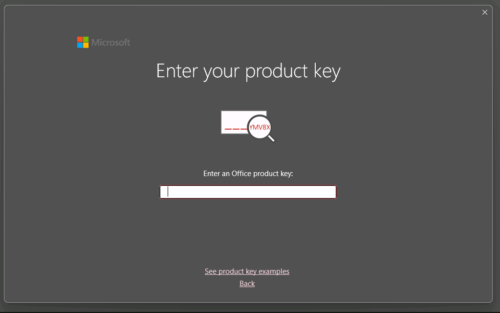
- 4Enter your 25-character product key when prompted.
- 5Download and install — your license is automatically linked to your Microsoft account.
Frequently asked questions — Microsoft Entra ID P2
How will I receive my license?
Your license is delivered after purchase — by email, on your account page, and on the order confirmation screen.
Is this a valid license?
Yes. You receive a license that activates the full version of the software directly through the publisher’s activation system.
Is payment secure?
Yes. All payments are processed through secure, encrypted checkout — we never store your payment details.
Can I get an invoice?
Yes. An invoice is available on your account page and sent by email after purchase.
What makes Entra ID P2 different from P1?
P2 includes advanced features like Identity Protection with AI-driven risk detection, Privileged Identity Management for just-in-time access, Access Reviews for compliance auditing, and the new Entra Agent ID for AI systems that aren’t available in P1.
How does Entra Agent ID work with AI systems?
Entra Agent ID applies Zero Trust principles to autonomous AI agents, providing identity management and security controls for AI systems. This feature was introduced at Microsoft Ignite in November 2025 as part of P2.
💬
Any technical question or hesitation?
Speak with our team via live chat — an expert will guide you and help you resolve any issue before or after your purchase. Our chat is available at the bottom right of every page.
Why Buy From Instant-Key?
Instant-Key.com is an independent software reseller. We deliver license keys digitally, with activation support included on every order.
Digital License Keys
Every key is delivered by email after payment, with the download link to the publisher's own website.
Instant Delivery
After successful payment, your license key and download link are delivered
instantly to your email and user dashboard so you can start installing right away.
Card Payment
We accept Visa, MasterCard and American Express through an encrypted card checkout.
Reliable Customer Support
Our team is available through WhatsApp, Email, and Live Chat
to assist with installation, activation, or any questions you may have.
Affordable Pricing
Get premium software like Microsoft Office, Windows OS, Adobe,
Autodesk, CorelDRAW, antivirus tools, servers and more at
competitive prices to help you save on essential digital tools.
Easy Installation Guides
Every order includes a clear step-by-step PDF installation guide
so even first-time users can install and activate their software with ease.
Activation Support
If a key does not activate, our team assists you until it does, or replaces it.
Trusted by Customers Worldwide
Individuals, businesses, students, and professionals around the world rely on
Instant-Key.com for digital licenses that support
productivity, creativity, and business growth.



Reviews
There are no reviews yet