





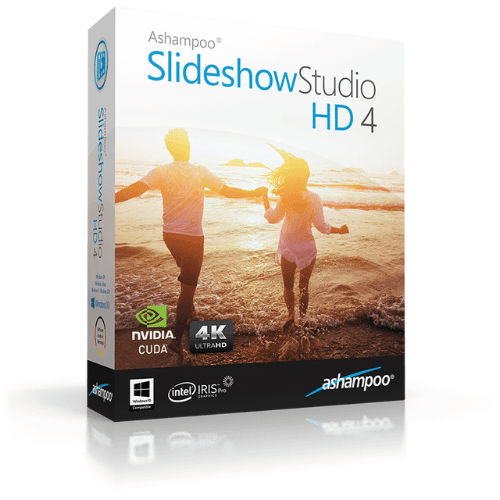
Ashampoo Slideshow Studio HD 4
50.00$
✔️100% Genuine version.
✔️Runs On Windows pc
✔️Download product(s) from the official website
✔️Online update support.

- Description
- Reviews (0)
- Q & A
- Why buy from instant-key.com ?
Description
Ashampoo Slideshow Studio HD 4
Ashampoo Slideshow Studio HD 4 is an easy-to-use yet powerful slideshow creator that transforms your photos, videos, and music into professional-quality presentations. With ready-made templates, animations, and full HD/4K output, you can create slideshows for family, business, school, or special occasions in just a few clicks.
Key Features
- Easy Slideshow Creation – Drag & drop photos, videos, and music.
- Ready-Made Templates & Themes – Quickly create polished slideshows with professional designs.
- Transitions & Animations – Add dynamic motion effects and text overlays.
- Music Integration – Sync your favorite tracks with the slideshow timeline.
- Narration & Subtitles – Add voiceovers and captions for storytelling.
- Output Formats – Export in HD, Full HD, and 4K Ultra HD video.
- Direct Sharing – Burn to DVD/Blu-ray, save as a file, or upload to YouTube.
- New Interface – Modern and user-friendly design for faster creation.
- Hardware Acceleration – Faster rendering with modern GPUs.
Comparison Table: Slideshow Studio HD 3 vs HD 4
| Feature | Slideshow Studio HD 3 | Slideshow Studio HD 4 |
| Drag & Drop Editing | ✅ | ✅ (improved timeline) |
| Pre-Made Templates | Limited | ✅ More designs & themes |
| Transitions & Animations | ✅ Basic | ✅ Advanced & smoother |
| Music & Narration | ✅ | ✅ (with auto sync) |
| Video Output | Up to Full HD | ✅ Up to 4K Ultra HD |
| DVD/Blu-ray Burning | ✅ | ✅ |
| GPU Acceleration | ❌ | ✅ |
| User Interface | Classic | ✅ Modern, more intuitive |
Why Choose Slideshow Studio HD 4?
- Perfect for beginners with step-by-step wizards.
- Advanced tools for power users who want full control.
- Professional results without steep learning curves.
- Works seamlessly on Windows 10 and Windows 11.
System Requirements
- Operating System: Windows 11 / Windows 10
- Processor: Dual-core processor or better
- RAM: 2 GB minimum (4 GB recommended)
- Hard Disk Space: 500 MB free space
- Graphics Card: DirectX-compatible GPU with hardware acceleration support recommended
- Display: 1280×768 resolution or higher
- Internet: Required for activation, updates, and certain features
❓ Frequently Asked Questions (FAQ)
Q: Can I export my slideshows in 4K quality?
✅ Yes, Slideshow Studio HD 4 supports Full HD and 4K Ultra HD output.
Q: Is it beginner-friendly?
Yes. With ready-made templates and easy drag-and-drop editing, anyone can create a slideshow in minutes.
Q: Can I burn slideshows to DVD or Blu-ray?
✅ Yes, the software includes built-in DVD and Blu-ray authoring tools.
Q: Does it allow adding background music or narration?
Yes. You can add your favorite tracks and even record a voiceover directly inside the program.
Q: What’s new compared to older versions?
Version 4 includes 4K video output, GPU acceleration, more templates and themes, and a redesigned modern interface.
Q: Can I add music and voice narration?
Yes, you can add background music, sync it with transitions, and even record voiceovers directly.






Reviews
There are no reviews yet