


Autodesk Advance Steel
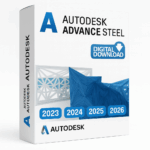
Price range: 145.00 $ through 210.00 $
- ✔1 year subscription · Includes all versions during term
- ✔Works on Windows · 1 user / 2 devices
- ✔Professional design & engineering
- ✔Access is linked to your checkout email and confirmed by Autodesk.
- ✔Free setup support
Delivered within 15 min – 1 hour by email
- Description
- Reviews (0)
- Why buy from instant-key.com ?
Description
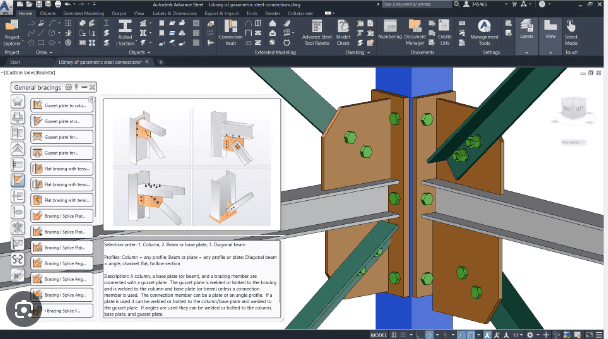
Autodesk Advance Steel is a specialized 3D modeling software designed for structural steel detailing and fabrication workflows. This comprehensive BIM solution enables engineers and fabricators to create precise steel frameworks, generate shop drawings, and produce fabrication documentation including bills of materials and CNC files. The 1-year subscription includes powerful connection design tools, automated drawing generation capabilities, and tight integration with other Autodesk products for collaborative project workflows across the construction industry.
Key Features
3D Steel Framework Modeling
Create detailed models of beams, columns, braces, staircases, railings and ladders with precision modeling tools
Automated Drawing Generation
Generate shop drawings, general arrangement drawings and erection drawings directly from 3D models with customizable styles
Parametric Connection Design
Configure bolted connections, welded connections, and anchor bolts with adjustable parameters to meet project specifications
Fabrication Documentation Output
Automatically generate bills of materials and CNC codes to increase accuracy and reduce manual drafting work
Multi-Platform File Exchange
Supports various file formats for data exchange with Autodesk Navisworks, Tekla and other fabrication management systems
System Requirements
| Operating System | Windows |
| Processor | Multicore 64-bit processor |
| RAM | 16 GB |
| Storage | 20 GB |
How to Activate Autodesk Advance Steel
- After purchase, Autodesk sends you a confirmation email.
- The email contains your access link tied to your purchase email.
- Sign in to autodesk.com with the same email address used at checkout.
- Navigate to your Account → Products & Services.
- Download and install the application from the Autodesk Desktop App.
Frequently Asked Questions
How will I receive access?
Is payment secure?
Can I get an invoice?
How many users can access the Advance Steel subscription?
Does Advance Steel support cloud collaboration features?
Does Advance Steel run on Mac?
Need help? Our support team is available 7 days a week. Contact us via live chat or email for activation assistance, compatibility questions, or any other inquiry.
Add a review
You must be logged in to post a review
Log In





Reviews
There are no reviews yet