Description
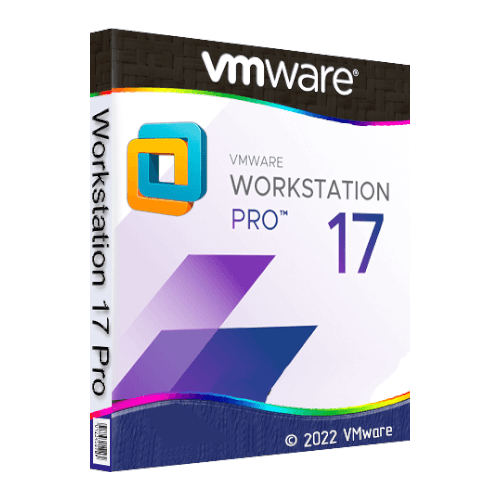
VMware Workstation 17 Pro is a perpetual licence, one-time purchase virtualisation application for Windows and Linux PCs. Install and run multiple virtual machines simultaneously, supporting Windows, Linux, and other guest operating systems. Key capabilities include snapshot and rollback, drag-and-drop file sharing, DirectX 11 and OpenGL 4.3 graphics support, USB and network device sharing, a REST API for automation, and compatibility with VMware ESXi and vSphere environments. Licence key is sent by email.
License
One-Time Purchase
Platforms
Windows & Linux
Delivery
Digital / Instant
Key Features
Multiple Simultaneous Virtual Machines
Run several virtual machines at the same time on a single PC, allowing you to test, develop, or compare different operating environments without rebooting.
Snapshot and Rollback
Save the exact state of a virtual machine at any point and revert to it instantly, making it straightforward to recover from errors or test risky changes safely.
DirectX 11 and OpenGL 4.3
Guest virtual machines can use DirectX 11 and OpenGL 4.3 graphics support, enabling more demanding applications and graphical workloads to run within a VM.
REST API Automation
Control and automate virtual machine operations programmatically via the built-in REST API, reducing manual effort in development and testing workflows.
ESXi and vSphere Compatibility
Connect to and manage VMware ESXi and vSphere environments directly from Workstation Pro, bridging local desktop virtualisation with enterprise infrastructure.
Drag-and-Drop File Sharing
Transfer files between your host machine and guest virtual machines by dragging and dropping, removing the need for network shares or external storage devices.
System Requirements
| Operating System |
Windows 10 / Windows 11 (64-bit) or a compatible 64-bit Linux distribution |
| Processor |
64-bit x86 processor, 1.3 GHz or faster; Intel Core 2 Duo, AMD Athlon 64 FX Dual Core or later recommended |
| RAM |
2 GB minimum (4 GB or more recommended) |
| Storage |
1.2 GB free disk space for the application; additional storage required for virtual machines |
What platform does VMware Workstation 17 Pro run on?
VMware Workstation 17 Pro runs on both Windows and Linux host operating systems. It is a 64-bit application and is not compatible with macOS.
Is this a subscription or a one-time purchase?
This is a perpetual licence, meaning you make a single one-time payment and retain the right to use the software indefinitely. There are no recurring subscription fees associated with this licence.
How many devices can I use with this license?
This licence covers installation and use on one PC. A separate licence is required for each additional device.
How to Activate VMware Workstation 17 Pro
- 1Your license key is delivered by email and available on your order confirmation page.
- 2Download VMware Workstation Pro from support.broadcom.com (free Broadcom account required).
- 3Install VMware Workstation Pro on your Windows or Linux PC.
- 4Launch the application and select Enter a License Key when prompted.
- 5Enter your license key to unlock the full Pro version.
Why Buy From Instant-Key?
Instant-Key.com is an independent software reseller. We deliver license keys digitally, with activation support included on every order.
Digital License Keys
Every key is delivered by email after payment, with the download link to the publisher's own website.
Instant Delivery
After successful payment, your license key and download link are delivered
instantly to your email and user dashboard so you can start installing right away.
Multiple Payment Methods
We support Visa, MasterCard, American Express, PayPal, Apple Pay and Google Pay for a smooth and secure checkout.
Reliable Customer Support
Our team is available through WhatsApp, Email, and Live Chat
to assist with installation, activation, or any questions you may have.
Affordable Pricing
Get premium software like Microsoft Office, Windows OS, Adobe,
Autodesk, CorelDRAW, antivirus tools, servers and more at
competitive prices to help you save on essential digital tools.
Easy Installation Guides
Every order includes a clear step-by-step PDF installation guide
so even first-time users can install and activate their software with ease.
Activation Support
If a key does not activate, our team assists you until it does, or replaces it.
Trusted by Customers Worldwide
Individuals, businesses, students, and professionals around the world rely on
Instant-Key.com for digital licenses that support
productivity, creativity, and business growth.
" tracking="option-product-tab-block"]






Reviews
There are no reviews yet