Description
VMware Workstation 17 Pro is a one-time purchase licence, one-time purchase virtualisation application for Windows and Linux PCs. Install and run multiple virtual machines simultaneously, supporting Windows, Linux, and other guest operating systems. Key capabilities include snapshot and rollback, drag-and-drop file sharing, DirectX 11 and OpenGL 4.3 graphics support, USB and network device sharing, a REST API for automation, and compatibility with VMware ESXi and vSphere environments. Licence key is sent by email.
License
One-Time Purchase
Platforms
Windows & Linux
Delivery
Digital / Instant
Key Features
Multiple Simultaneous Virtual Machines
Run several virtual machines at the same time on a single PC, allowing you to test, develop, or compare different operating environments without rebooting.
Snapshot and Rollback
Save the exact state of a virtual machine at any point and revert to it instantly, making it straightforward to recover from errors or test risky changes safely.
DirectX 11 and OpenGL 4.3
Guest virtual machines can use DirectX 11 and OpenGL 4.3 graphics support, enabling more demanding applications and graphical workloads to run within a VM.
REST API Automation
Control and automate virtual machine operations programmatically via the built-in REST API, reducing manual effort in development and testing workflows.
ESXi and vSphere Compatibility
Connect to and manage VMware ESXi and vSphere environments directly from Workstation Pro, bridging local desktop virtualisation with enterprise infrastructure.
Drag-and-Drop File Sharing
Transfer files between your host machine and guest virtual machines by dragging and dropping, removing the need for network shares or external storage devices.
System Requirements
| Operating System |
Windows 10 / Windows 11 (64-bit) or a compatible 64-bit Linux distribution |
| Processor |
64-bit x86 processor, 1.3 GHz or faster; Intel Core 2 Duo, AMD Athlon 64 FX Dual Core or later recommended |
| RAM |
2 GB minimum (4 GB or more recommended) |
| Storage |
1.2 GB free disk space for the application; additional storage required for virtual machines |
What platform does VMware Workstation 17 Pro run on?
VMware Workstation 17 Pro runs on both Windows and Linux host operating systems. It is a 64-bit application and is not compatible with macOS.
Is this a subscription or a one-time purchase?
This is a one-time purchase licence, meaning you make a single one-time payment and retain the right to use the software. There are no recurring subscription fees associated with this licence.
How many devices can I use with this license?
This licence covers installation and use on one PC. A separate licence is required for each additional device.
How to Activate VMware Workstation 17 Pro
- 1Your license key is delivered by email and available on your order confirmation page.
- 2Download VMware Workstation Pro from support.broadcom.com (free Broadcom account required).
- 3Install VMware Workstation Pro on your Windows or Linux PC.
- 4Launch the application and select Enter a License Key when prompted.
- 5Enter your license key to unlock the full Pro version.
Pourquoi acheter chez Instant-Key ?
Instant-Key.com est un revendeur indépendant de logiciels. Nous livrons les clés de licence par voie numérique, avec les instructions d'activation incluses à chaque commande.
Clés de licence numériques
Chaque clé est livrée par courrier électronique après le paiement, avec le lien de téléchargement vers le site de l'éditeur.
Livraison immédiate
Après confirmation du paiement, votre clé de licence et le lien de téléchargement arrivent aussitôt par courrier électronique et dans votre compte client, pour installer sans attendre.
Paiement par carte
Nous acceptons Visa, MasterCard et American Express dans un règlement par carte chiffré.
Assistance fiable
Notre équipe est joignable par WhatsApp, courrier électronique et discussion en direct
pour l'installation, l'activation ou toute autre question.
Prix abordables
Des logiciels comme Microsoft Office, Windows, Adobe,
Autodesk, CorelDRAW, les antivirus et les serveurs à des prix
compétitifs, pour économiser sur vos outils numériques.
Guides d'installation clairs
Chaque commande comprend un guide d'installation PDF, étape par étape,
pour qu'un premier achat s'installe et s'active sans difficulté.
Aide à l'activation
Si une clé ne s'active pas, notre équipe vous accompagne et peut proposer un remplacement après vérification.
Des clients dans le monde entier
Particuliers, entreprises, étudiants et professionnels du monde entier font appel à
Instant-Key.com pour des licences numériques qui soutiennent
la productivité, la création et la croissance.


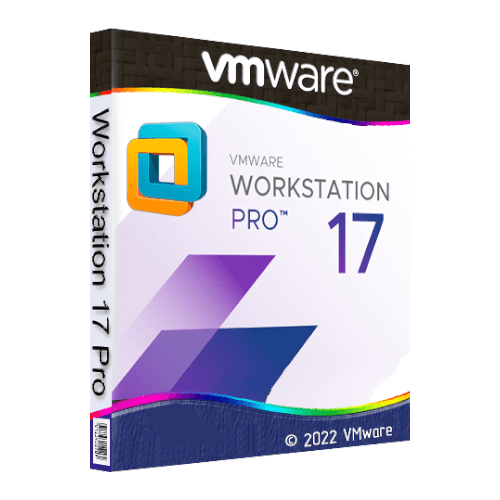
 VMware Workstation 17 Pro
Avis
Il n’y a encore aucun avis