Description
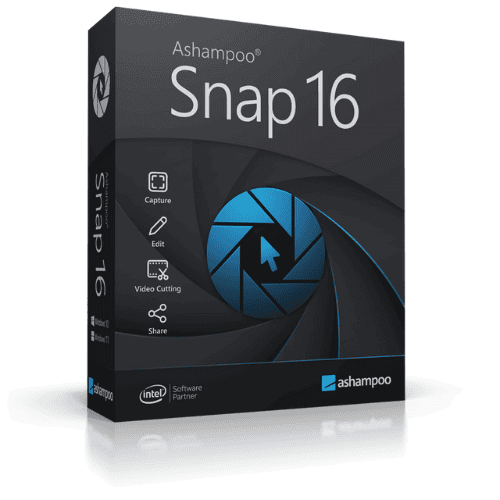
Ashampoo Snap 16 is a screenshot and screen recording application for Windows, available as a perpetual license — a one-time purchase with no subscription required. It supports region, window, fullscreen, and scrolling captures, plus screen recording with audio and webcam overlay. Built-in annotation tools, a blur tool for masking sensitive data, an image editor, and quick share options via email or upload make it a capable all-in-one capture and editing tool for a single PC.
License
One-Time Purchase
Delivery
Digital / Instant
Key Features
Flexible Screenshot Capture
Capture any region, window, full screen, or scrolling content so you get exactly the shot you need without cropping afterwards.
Screen Recording with Audio
Record on-screen activity with system or microphone audio, making it straightforward to create tutorials, walkthroughs, or bug reports.
Webcam Overlay Recording
Add a live webcam feed to your screen recordings, useful for presentations or video guides where a personal touch matters.
Blur Sensitive Information
Quickly obscure personal data, passwords, or confidential details before sharing a screenshot, reducing the risk of unintended disclosure.
Annotation and Drawing Tools
Mark up screenshots with arrows, text, shapes, and highlights to communicate clearly without needing a separate image editor.
Quick Share and Print
Send captures directly by email or upload them straight from the app, cutting the steps between taking a screenshot and sharing it.
System Requirements
| Operating System |
Windows 10 / Windows 11 (64-bit) |
What platform does Ashampoo Snap 16 run on?
Ashampoo Snap 16 runs on Windows only. It is not compatible with macOS or Linux.
Is this a subscription or a one-time purchase?
This is a perpetual license, meaning you pay once and own the software outright with no recurring subscription fees.
How many devices can I use with this license?
This license covers a single PC. If you need to use Ashampoo Snap 16 on additional computers, a separate license is required for each.
How to Activate Ashampoo Snap 16
- 1Your license key is delivered by email and available on your order confirmation page.
- 2Download the software from ashampoo.com using the link in your confirmation email.
- 3Install and launch the application.
- 4Open Help → Enter License Key and enter your key.
- 5Your software is now fully activated.
Why Buy From Instant-Key?
Choosing Instant-Key.com means choosing a trusted global
platform for fast, secure, and affordable digital software licenses.
Every purchase is backed by verified products and reliable customer support.
Instant Digital License Keys
All license keys are verified and sourced from trusted suppliers.
No cracks, no illegal activations — only legitimate, secure software.
Instant Delivery
After successful payment, your license key and download link are delivered
instantly to your email and user dashboard so you can start installing right away.
Multiple Payment Methods
We support a wide range of payment options including
Skrill, Mollie, MasterCard, Visa, Apple Pay, Google Pay, Stripe
and other major cards and wallets for a smooth and secure checkout.
Reliable Customer Support
Our team is available through WhatsApp, Email, and Live Chat
to assist with installation, activation, or any questions you may have.
Affordable Pricing
Get premium software like Microsoft Office, Windows OS, Adobe,
Autodesk, CorelDRAW, antivirus tools, servers and more at
competitive prices to help you save on essential digital tools.
Easy Installation Guides
Every order includes a clear step-by-step PDF installation guide
so even first-time users can install and activate their software with ease.
Warranty and Replacement Guarantee
All keys come with an activation warranty. In case of any activation issue,
we provide a quick replacement, ensuring a smooth and worry-free experience.
Trusted by Customers Worldwide
Individuals, businesses, students, and professionals around the world rely on
Instant-Key.com for digital licenses that support
productivity, creativity, and business growth.
" tracking="option-product-tab-block"]










Reviews
There are no reviews yet