Beschreibung
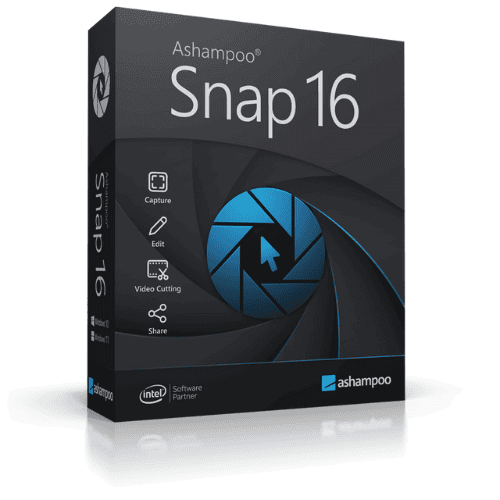
Ashampoo Snap 16 is a screenshot and screen recording application for Windows, available as a one-time purchase license — a one-time purchase with no subscription required. It supports region, window, fullscreen, and scrolling captures, plus screen recording with audio and webcam overlay. Built-in annotation tools, a blur tool for masking sensitive data, an image editor, and quick share options via email or upload make it a capable all-in-one capture and editing tool for a single PC.
License
One-Time Purchase
Delivery
Digital / Instant
Key Features
Flexible Screenshot Capture
Capture any region, window, full screen, or scrolling content so you get exactly the shot you need without cropping afterwards.
Screen Recording with Audio
Record on-screen activity with system or microphone audio, making it straightforward to create tutorials, walkthroughs, or bug reports.
Webcam Overlay Recording
Add a live webcam feed to your screen recordings, useful for presentations or video guides where a personal touch matters.
Blur Sensitive Information
Quickly obscure personal data, passwords, or confidential details before sharing a screenshot, reducing the risk of unintended disclosure.
Annotation and Drawing Tools
Mark up screenshots with arrows, text, shapes, and highlights to communicate clearly without needing a separate image editor.
Quick Share and Print
Send captures directly by email or upload them straight from the app, cutting the steps between taking a screenshot and sharing it.
System Requirements
| Operating System |
Windows 10 / Windows 11 (64-bit) |
What platform does Ashampoo Snap 16 run on?
Ashampoo Snap 16 runs on Windows only. It is not compatible with macOS or Linux.
Is this a subscription or a one-time purchase?
This is a one-time purchase license, meaning you pay once and own the software outright with no recurring subscription fees.
How many devices can I use with this license?
This license covers a single PC. If you need to use Ashampoo Snap 16 on additional computers, a separate license is required for each.
How to Activate Ashampoo Snap 16
- 1Your license key is delivered by email and available on your order confirmation page.
- 2Download the software from ashampoo.com using the link in your confirmation email.
- 3Install and launch the application.
- 4Open Help → Enter License Key and enter your key.
- 5Your software is now fully activated.
Warum bei Instant-Key kaufen?
Instant-Key.com ist ein unabhängiger Software-Reseller. Wir liefern Lizenzschlüssel digital, mit Unterstützung bei der Aktivierung bei jeder Bestellung.
Digitale Lizenzschlüssel
Jeder Schlüssel wird nach der Zahlung per E-Mail geliefert, zusammen mit dem Download-Link auf die Website des Herstellers.
Sofortige Lieferung
Nach erfolgreicher Zahlung erhalten Sie Ihren Lizenzschlüssel und den Download-Link
sofort per E-Mail und in Ihrem Kundenkonto, damit Sie direkt mit der Installation beginnen können.
Zahlung per Karte
Wir akzeptieren Visa, MasterCard und American Express für eine einfache und sichere Kaufabwicklung.
Verlässlicher Kundenservice
Unser Team ist über WhatsApp, E-Mail und Live-Chat erreichbar
und hilft bei Installation, Aktivierung und allen weiteren Fragen.
Faire Preise
Software wie Microsoft Office, Windows, Adobe,
Autodesk, CorelDRAW, Antivirenprogramme und Server und mehr zu
fairen Preisen, damit Sie bei Ihren digitalen Werkzeugen sparen.
Verständliche Installationsanleitungen
Jede Bestellung enthält eine klare PDF-Anleitung Schritt für Schritt,
damit auch Erstnutzer ihre Software ohne Mühe installieren und aktivieren.
Hilfe bei der Aktivierung
Wenn ein Schlüssel sich nicht aktivieren lässt, hilft unser Team weiter und kann nach Prüfung einen Ersatz anbieten.
Kunden weltweit
Privatpersonen, Unternehmen, Studierende und Fachleute in aller Welt nutzen
Instant-Key.com für digitale Lizenzen, die
Produktivität, Kreativität und Wachstum unterstützen.
" tracking="option-product-tab-block"]









Rezensionen
Es gibt noch keine Rezensionen