


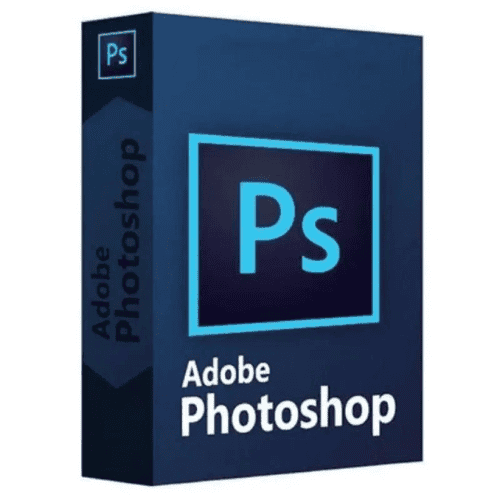
Adobe Photoshop

Price range: 69.00 $ through 149.00 $
- ✔1 year subscription · Renewable
- ✔Compatible with Windows & macOS · 1 user / 2 devices
- ✔Professional photo editing · Industry standard
- ✔Activation code by email — access on your Adobe account
- ✔Free setup support
Typically activated within 1-2 hours
- Description
- Reviews (1)
- Why buy from instant-key.com ?
Description
Adobe Photoshop is the industry-standard graphics editing and design software developed by Adobe Inc., serving as part of the comprehensive Adobe Creative Cloud suite. With its extensive toolkit, Photoshop allows users to modify photos, create digital art, and produce graphics in countless ways. This powerful application is an essential tool for creative professionals including photographers, graphic designers, digital artists, and marketers who need advanced image manipulation and creative capabilities. Not sure which tier fits? compare the Creative Cloud versions.
Key Features
Image Editing and Manipulation
Advanced photo modification tools for professional-quality image enhancement and creative transformations
Digital Art Creation
Comprehensive brushes and painting tools for creating original digital artwork, illustrations, and concept designs
Retouching and Healing
Professional photo retouching capabilities to remove blemishes, adjust colors, and perfect portraits
3D and Motion Graphics
Create stunning three-dimensional designs and motion graphics for multimedia projects
Filters and Effects
Extensive collection of filters and special effects to enhance images and create artistic transformations
Integration with Adobe Software
Tight integration with other Adobe Creative Cloud applications for efficient multi-platform workflows
System Requirements
| Operating System | Windows & macOS |
| Processor | Multi-core Intel or AMD processor with 64-bit support |
| RAM | 8 GB minimum (16 GB recommended) |
| Storage | 4 GB of available hard-disk space for installation |
How to Activate Adobe Photoshop
- Complete your purchase — your activation code is sent by email and displayed on the confirmation screen.
- Visit adobe.com and sign in to your Adobe account (or create a free account).
- Navigate to Plans & Payment → Manage Plan → Redeem a code.
- Enter your activation code to activate your subscription immediately.
- Download and install the application via the Creative Cloud desktop app or directly from adobe.com.
Frequently Asked Questions
How will I receive my activation code?
Is payment secure?
Can I get an invoice?
Can I use Photoshop on multiple devices?
Does this include access to Adobe Creative Cloud Libraries?
Need help? Our support team is available 7 days a week. Contact us via live chat or email for activation assistance, compatibility questions, or any other inquiry.
1 review for Adobe Photoshop
1-1 of 1 review
Add a review
You must be logged in to post a review
Log In





Easy to activate. Have been using last 1week – no issues so far.