


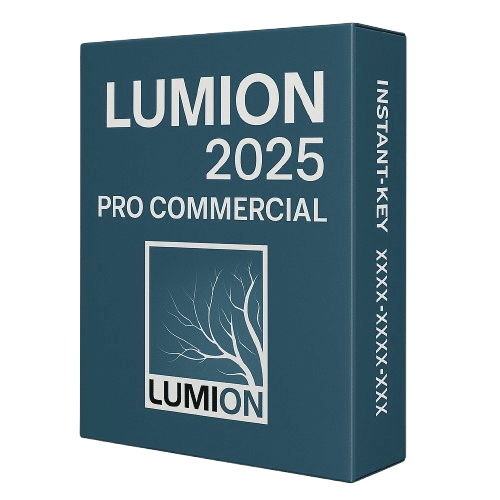
Lumion 2025 Pro (PC)
Price range: 280.00 $ through 780.00 $
✔ Software: Lumion 2025 Pro
✔ License: One-time purchase (One-time purchase)
✔ Platform: Windows 10/11 (64-bit)
✔ Devices: 1 PC
✔ Format: Digital Download + License Key
✔ Delivery: Email within 15 min to 1 hour
✔ Support: Free setup assistance included
- Description
- Reviews (0)
- Why buy from instant-key.com ?
Description
Software Compatibility
Lumion 2025 Pro integrates seamlessly with leading architecture and design applications through LiveSync real-time connections:
- Autodesk Revit: Direct LiveSync plugin for BIM workflows
- ArchiCAD 27: Real-time model synchronization
- SketchUp Pro: One-click LiveSync connection
- Rhino 3D: Native import and LiveSync support
- Vectorworks: Seamless model transfer
- AutoCAD & 3ds Max: Import via standard file formats
Lumion 2025 Pro is architectural visualization software for rendering CAD and 3D models into photorealistic presentations. Features AI upscaling to 8K resolution, ray-traced lighting and water effects, plus expanded content libraries with photogrammetric assets. Includes Scene Inspector for managing complex projects and Performance Center for real-time optimization. This one-time purchase license provides one-time purchase access to professional rendering tools for architects, designers, and planners working with detailed visualization projects.
Key Features
AI Image Upscaler
Generate ultra-high-resolution renders up to 8K with enhanced sharpness and speed.
Ray-Tracing Enhancements
Fully ray-traced water, volumetric fog, sunlight and improved indirect lighting quality.
Scene Inspector Tool
Locate and manage objects, layers, and hierarchies within complex architectural scenes.
Performance Center
Access real-time system statistics and editor controls for responsive scene management.
Expanded Content Library
Includes 68 photogrammetric nature assets and 147 education-themed modeling elements.
System Requirements
| OS | Windows 10/11 (64-bit) |
| Processor | 64-bit multicore processor (Intel/AMD) |
| RAM | 32 GB |
| Storage | 100 GB available (SSD recommended) |
| Graphics | NVIDIA RTX 3070 or equivalent (8 GB VRAM min) |
How to Activate Lumion 2025 Pro
- After purchase, your activation code is sent by email, typically within 15 minutes to 1 hour.
- Download the Lumion installer from lumion3d.com.
- Install Lumion on your Windows device.
- Launch Lumion, click Activate, and enter your activation code.
- Your licence is machine-bound: contact Lumion support to transfer to another device if needed.
Frequently Asked Questions
Need help? Our support team is available 7 days a week: contact us via live chat or email and we’ll get you set up quickly.





Reviews
There are no reviews yet