


Autodesk Vault Professional
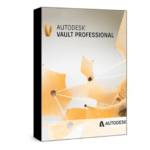
Price range: 125.00 $ through 200.00 $
- ✔1 year subscription · Includes all versions during term
- ✔Works on Windows · 1 user / 2 devices
- ✔Professional design & engineering
- ✔Access is linked to your checkout email and confirmed by Autodesk.
- ✔Free setup support
Delivered within 15 min – 1 hour by email
- Description
- Reviews (0)
- Why buy from instant-key.com ?
Description
Autodesk Vault Professional offers comprehensive data management capabilities for engineering and design teams working with CAD files and project documentation. This 1-year subscription provides robust version control, revision management, and collaborative workflows that integrate directly with Autodesk design software including AutoCAD, Inventor, and Revit. Teams can securely manage design data throughout project lifecycles while maintaining data integrity and enabling concurrent design processes across distributed engineering environments.
Key Features
Version Control and Revision Management
Track file versions and revisions automatically, enabling check-in/check-out workflows that prevent conflicts and preserve design history with rollback capabilities
Tight Integration with Autodesk Design Tools
Direct connectivity with AutoCAD, Inventor, and Revit ensures automatic capture of design changes and unified data transfer between applications
Collaborative Engineering Workflows
Central repository enables multiple users to work on projects simultaneously while managing conflicts and maintaining data consistency across teams
Advanced Search and File Management
Robust search capabilities through metadata, attributes, and content enable rapid file retrieval with customizable folder structures and property definitions
Configurable Change Management
Define approval processes and track design change progress with customizable workflows that ensure compliance with established engineering procedures
System Requirements
| Operating System | Windows |
| Processor | Multicore 64-bit processor |
| RAM | 8 GB |
| Storage | 5 GB |
How to Activate Autodesk Vault Professional
- After purchase, Autodesk sends you a confirmation email.
- The email contains your access link tied to your purchase email.
- Sign in to autodesk.com with the same email address used at checkout.
- Navigate to your Account → Products & Services.
- Download and install the application from the Autodesk Desktop App.
Frequently Asked Questions
How will I receive access?
Is payment secure?
Can I get an invoice?
How does Vault Professional handle license seats for team collaboration?
What file format compatibility does Vault Professional provide with Autodesk applications?
Need help? Our support team is available 7 days a week. Contact us via live chat or email for activation assistance, compatibility questions, or any other inquiry.
Add a review
You must be logged in to post a review
Log In






Reviews
There are no reviews yet