Description
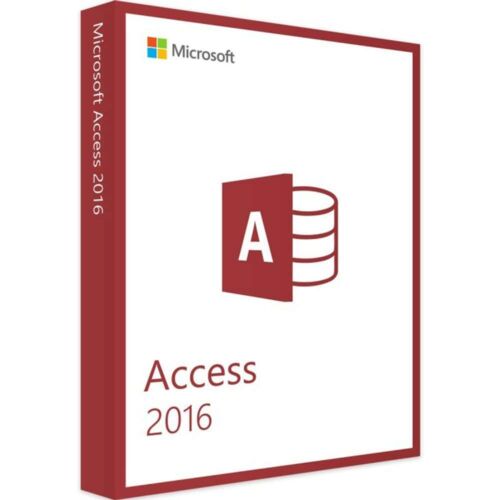
Microsoft Access 2016 provides a one-time purchase license for database management across 2 PCs. This version introduces the new Tell Me search box for quick feature discovery, 11 new chart types including line, column, and bar charts with Modern Charts aesthetic design. Access 2016 enables users to create business applications from templates or scratch with comprehensive design tools for data management, manipulation, and sharing.
License
One-time purchase
Key features
✔Tell Me search box
Provides autosuggest dropdown with features and activities related to your search queries
✔11 new chart types
Create line charts, column charts, and bar charts with Modern Charts aesthetic design
✔Business application templates
Build elegant and functional apps from pre-made templates or create from scratch
✔Simplified project management
Straightforward menus and interface make database management accessible for beginners and experts
System requirements
| OS |
Windows 7 or later |
| Processor |
1.6 GHz, 2-core processor |
| RAM |
4 GB (64-bit), 2 GB (32-bit) |
| Storage |
4 GB available disk space |
| Graphics |
DirectX 10 graphics card for hardware acceleration |
How to activate Microsoft Access 2016 (2 PCs) — One-time Purchase
- 1Receive your product key after purchase — by email, on your account page, and on the order confirmation screen.
- 2Go to the official Microsoft setup page (office.com/setup for Office products, or microsoft.com/setup for Windows).
- 3Sign in with your Microsoft account, or create a free one if you don’t have one.
- 4Enter your 25-character product key when prompted.
- 5Download and install — your license is automatically linked to your Microsoft account.
Frequently asked questions: Microsoft Access 2016 (2 PCs) — One-time Purchase
How will I receive my license?
Your license is delivered after purchase — by email, on your account page, and on the order confirmation screen.
Is this a valid license?
Yes. You receive a license that activates the full version of the software directly through the publisher’s activation system.
Is payment secure?
Yes. All payments are processed through secure, encrypted checkout — we never store your payment details.
Can I get an invoice?
Yes. An invoice is available on your account page and sent by email after purchase.
Can I use this Access 2016 license on multiple computers?
Yes, this license allows installation and activation on up to 2 PCs for one user. Each device can use Access 2016 with the single purchase.
What database file formats does Access 2016 support?
Access 2016 supports various data formats and allows you to manage, manipulate, save, and share virtually any type of data with integrated design tools and templates.
💬
Any technical question or hesitation?
Speak with our team via live chat — an expert will guide you and help you resolve any issue before or after your purchase. Our chat is available at the bottom right of every page.
How to activate:
- Download software from this link.
- Install and apply given key
Microsoft Access is a database management system (DBMS) from Microsoft that combines the relational Microsoft Jet Database Engine with a graphical user interface and software-development tools.
Microsoft Access stores data in its own format based on the Access Jet Database Engine. It can also import or link directly to data stored in other applications and databases.
Users can create tables, queries, forms and reports, and connect them together with macros. Advanced users can use VBA to write rich solutions with advanced data manipulation and user control. Access also has report creation features that can work with any data source that Access can access.
Pourquoi acheter chez Instant-Key ?
Instant-Key.com est un revendeur indépendant de logiciels. Nous livrons les clés de licence par voie numérique, avec les instructions d'activation incluses à chaque commande.
Clés de licence numériques
Chaque clé est livrée par courrier électronique après le paiement, avec le lien de téléchargement vers le site de l'éditeur.
Livraison immédiate
Après confirmation du paiement, votre clé de licence et le lien de téléchargement arrivent aussitôt par courrier électronique et dans votre compte client, pour installer sans attendre.
Paiement par carte
Nous acceptons Visa, MasterCard et American Express dans un règlement par carte chiffré.
Assistance fiable
Notre équipe est joignable par WhatsApp, courrier électronique et discussion en direct
pour l'installation, l'activation ou toute autre question.
Prix abordables
Des logiciels comme Microsoft Office, Windows, Adobe,
Autodesk, CorelDRAW, les antivirus et les serveurs à des prix
compétitifs, pour économiser sur vos outils numériques.
Guides d'installation clairs
Chaque commande comprend un guide d'installation PDF, étape par étape,
pour qu'un premier achat s'installe et s'active sans difficulté.
Aide à l'activation
Si une clé ne s'active pas, notre équipe vous accompagne et peut proposer un remplacement après vérification.
Des clients dans le monde entier
Particuliers, entreprises, étudiants et professionnels du monde entier font appel à
Instant-Key.com pour des licences numériques qui soutiennent
la productivité, la création et la croissance.


 Microsoft Access 2016 (2 PCs) - One-time Purchase
Avis
Il n’y a encore aucun avis