Descripción
Ashampoo WebCam Guard is a one-time purchase licence software for Windows that puts you in control of your webcam and microphone. Manage access on an app-by-app basis, receive real-time alerts when any application requests camera or microphone access, and whitelist trusted apps or block specific ones entirely. Compatible with all webcam brands, it runs as a lightweight background process with a system tray icon. A licence key is sent by email after purchase.
License
One-Time Purchase
Delivery
Digital / Instant
Key Features
App-by-App Access Control
You decide exactly which applications are permitted to use your webcam or microphone, preventing unwanted access on a programme-by-programme basis.
Real-Time Access Alerts
You receive an immediate notification whenever an application attempts to access your camera or microphone, so you are always aware of what is happening.
Trusted App Whitelisting
Approved applications can be added to a whitelist, allowing them to access your devices without prompts while keeping everything else restricted.
Block All Applications
A global block option lets you disable webcam and microphone access for all applications at once, useful when you need complete privacy quickly.
Universal Webcam Compatibility
The software works with all webcam brands, so there is no need to check whether your specific hardware is supported before purchasing.
Lightweight System Tray Process
Running quietly in the background with minimal resource use, the system tray icon gives you quick access to controls without interrupting your workflow.
System Requirements
| Operating System |
Windows 10 / Windows 11 |
What platform does Ashampoo WebCam Guard run on?
Ashampoo WebCam Guard runs on Windows. It is not compatible with macOS or mobile operating systems.
Is this a subscription or a one-time purchase?
This is a one-time purchase licence, meaning you pay once and own the software with no recurring subscription fees.
How many devices can I use with this license?
This licence covers a single PC. If you need to protect additional computers, you will need to purchase a separate licence for each device.
How to Activate Ashampoo WebCam Guard
- 1Your license key is delivered by email and available on your order confirmation page.
- 2Download the software from ashampoo.com using the link in your confirmation email.
- 3Install and launch the application.
- 4Open Help → Enter License Key and enter your key.
- 5Your software is now fully activated.
¿Por qué comprar en Instant-Key?
Instant-Key.com es un revendedor independiente de software. Entregamos las claves de licencia de forma digital, con ayuda en la activación en cada pedido.
Claves de licencia digitales
Cada clave se entrega por correo electrónico después del pago, junto con el enlace de descarga del sitio del fabricante.
Entrega inmediata
Tras el pago, su clave de licencia y el enlace de descarga llegan
al momento a su correo y a su cuenta de cliente, para que pueda empezar la instalación enseguida.
Pago con tarjeta
Aceptamos Visa, MasterCard y American Express para una compra sencilla y segura.
Atención al cliente
Nuestro equipo está disponible por WhatsApp, correo electrónico y chat en directo
para ayudarle con la instalación, la activación o cualquier duda.
Precios razonables
Software como Microsoft Office, Windows, Adobe,
Autodesk, CorelDRAW, antivirus y servidores y más a
precios razonables, para que ahorre en sus herramientas digitales.
Guías de instalación claras
Cada pedido incluye una guía de instalación en PDF paso a paso,
para que incluso quien lo hace por primera vez pueda instalar y activar su software.
Ayuda con la activación
Si una clave no se activa, nuestro equipo le ayuda y, previa verificación, puede ofrecer un reemplazo.
Clientes en todo el mundo
Particulares, empresas, estudiantes y profesionales de todo el mundo confían en
Instant-Key.com para licencias digitales que apoyan
la productividad, la creatividad y el crecimiento.


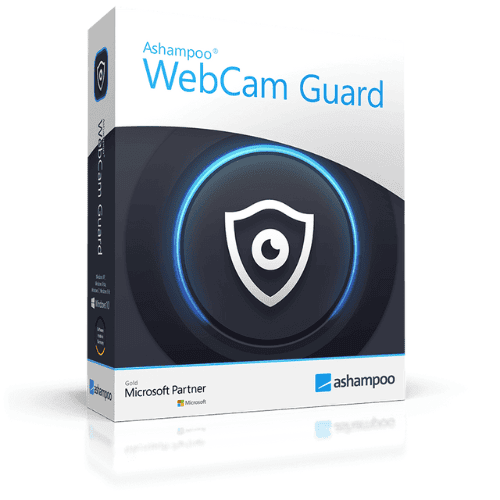
 Ashampoo WebCam Guard - One-time License / 1 PC
Valoraciones
Aún no hay reseñas