Description
Ashampoo WebCam Guard is a one-time purchase licence software for Windows that puts you in control of your webcam and microphone. Manage access on an app-by-app basis, receive real-time alerts when any application requests camera or microphone access, and whitelist trusted apps or block specific ones entirely. Compatible with all webcam brands, it runs as a lightweight background process with a system tray icon. A licence key is sent by email after purchase.
License
One-Time Purchase
Delivery
Digital / Instant
Key Features
App-by-App Access Control
You decide exactly which applications are permitted to use your webcam or microphone, preventing unwanted access on a programme-by-programme basis.
Real-Time Access Alerts
You receive an immediate notification whenever an application attempts to access your camera or microphone, so you are always aware of what is happening.
Trusted App Whitelisting
Approved applications can be added to a whitelist, allowing them to access your devices without prompts while keeping everything else restricted.
Block All Applications
A global block option lets you disable webcam and microphone access for all applications at once, useful when you need complete privacy quickly.
Universal Webcam Compatibility
The software works with all webcam brands, so there is no need to check whether your specific hardware is supported before purchasing.
Lightweight System Tray Process
Running quietly in the background with minimal resource use, the system tray icon gives you quick access to controls without interrupting your workflow.
System Requirements
| Operating System |
Windows 10 / Windows 11 |
What platform does Ashampoo WebCam Guard run on?
Ashampoo WebCam Guard runs on Windows. It is not compatible with macOS or mobile operating systems.
Is this a subscription or a one-time purchase?
This is a one-time purchase licence, meaning you pay once and own the software with no recurring subscription fees.
How many devices can I use with this license?
This licence covers a single PC. If you need to protect additional computers, you will need to purchase a separate licence for each device.
How to Activate Ashampoo WebCam Guard
- 1Your license key is delivered by email and available on your order confirmation page.
- 2Download the software from ashampoo.com using the link in your confirmation email.
- 3Install and launch the application.
- 4Open Help → Enter License Key and enter your key.
- 5Your software is now fully activated.
Pourquoi acheter chez Instant-Key ?
Instant-Key.com est un revendeur indépendant de logiciels. Nous livrons les clés de licence par voie numérique, avec les instructions d'activation incluses à chaque commande.
Clés de licence numériques
Chaque clé est livrée par courrier électronique après le paiement, avec le lien de téléchargement vers le site de l'éditeur.
Livraison immédiate
Après confirmation du paiement, votre clé de licence et le lien de téléchargement arrivent aussitôt par courrier électronique et dans votre compte client, pour installer sans attendre.
Paiement par carte
Nous acceptons Visa, MasterCard et American Express dans un règlement par carte chiffré.
Assistance fiable
Notre équipe est joignable par WhatsApp, courrier électronique et discussion en direct
pour l'installation, l'activation ou toute autre question.
Prix abordables
Des logiciels comme Microsoft Office, Windows, Adobe,
Autodesk, CorelDRAW, les antivirus et les serveurs à des prix
compétitifs, pour économiser sur vos outils numériques.
Guides d'installation clairs
Chaque commande comprend un guide d'installation PDF, étape par étape,
pour qu'un premier achat s'installe et s'active sans difficulté.
Aide à l'activation
Si une clé ne s'active pas, notre équipe vous accompagne et peut proposer un remplacement après vérification.
Des clients dans le monde entier
Particuliers, entreprises, étudiants et professionnels du monde entier font appel à
Instant-Key.com pour des licences numériques qui soutiennent
la productivité, la création et la croissance.


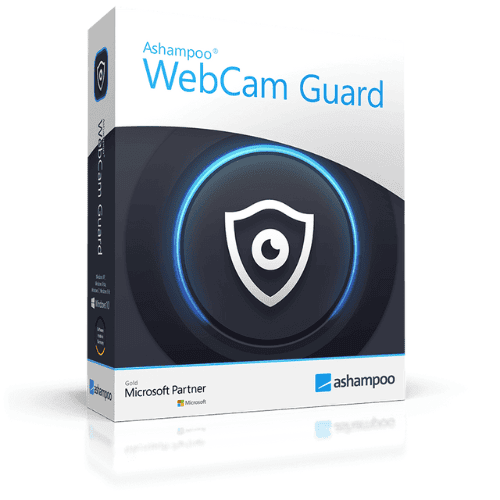
 Ashampoo WebCam Guard - One-time License / 1 PC
Avis
Il n’y a encore aucun avis