


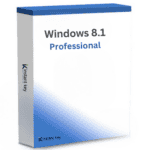
Windows 8.1 Professional
39,00 €
- ✔one-time purchase license — pay once
- ✔Works on Windows 8.1 · 1 PC
- ✔All languages included
- ✔Sent by email after checkout
- ✔Free setup support
- Beschreibung
- Rezensionen (0)
- Why buy from instant-key.com ?
Beschreibung
Windows 8.1 Professional
Windows 8.1 Pro is an operating system that is designed specifically for small and medium-sized businesses. It provides a range of features that enable users to create, play, discover, connect, and work all in one place. The OS includes a fresh Start screen, Windows Store, more personalization options, multitasking, built-in SkyDrive, BitLocker, Remote Desktop capabilities, and a host of other new features.
This product no longer receives security updates from Microsoft (end of support: 10 January 2023).
The Pro edition of Windows 8.1 comes with all the features that are available in the Home edition, plus additional business-oriented features such as encryption, remote login, and virtual machine creation. This makes it an ideal choice for businesses that require enhanced security and productivity tools.
New Exciting Features
► Increased speed
Windows 8.1 starts up faster, switches between apps faster, and uses power more efficiently than previous versions of Windows, including Windows 7.
► Enhanced user interface
The most noticeable difference between Windows 8 and previous versions is the user interface; the new start screen is made up of tiles that represent applications. When you first boot up Windows 8, the start screen opens, allowing you to swiftly get to what you want to do. New features have been added to the start screen:
‣ Start Screen;
‣ Live Tiles;
‣ Hot Corners.
► All App screen
The All App screen now allows sorting by name, category, most used, and date installed, providing a comprehensive view of your apps. Moreover, you can easily pin apps to the start screen by dragging and dropping them, and rearranging them is just as simple. The drag-and-drop feature in Windows 8.1 also helps categorize your apps effortlessly.
► Improved search & multitask option
One of the most requested improvements is the new search option, locating any app, document, or media file is easier than ever as suggested results start showing up by the time you start typing. Windows 8.1 also allows you to multitask with your computer as you can view up to four things at once.
► Backup and access your files everywhere
Now you can also back up and stay connected to your documents and photos via SkyDrive – a personal cloud based storage location. Access them at any time on your phone, tablet or PC. Moreover, by signing in with your Microsoft account to any of your PCs running Windows 8.1, you can immediately see your own background, display preferences, and settings.
► Windows Defender & Windows Store
Windows 8 includes a built-in antivirus, Windows Defender, to safeguard against malware. The new Windows Store also enhances safety by informing users about the data access permissions of apps, protecting documents and privacy.
► More personalized
Windows 8.1 is also more personalized, as you can choose between background pictures, or just change the colour of the background.
Extra for Windows 8.1 Pro version
► Work Place Join and Work Folders
Work Place Join and Work Folders in Windows 8.1 Pro allow users to connect to corporate servers while keeping personal and work activities separate. Additionally, with features like remote desktop hosting and booting from a virtual hard drive, it supports productive work from anywhere.
► Enhanced data protection & Security
Windows 8.1 Professional offers enhanced data protection with Windows Defender, Windows Firewall, and Windows Update. It also comes with BitLocker, an advanced security program that helps protect your data through enhanced encryptions and security management. Additionally, this new feature ensures that all your valuable documents and information is protected.
► You keep all your files and familiar programs
If your PC is running Windows 7, your personal files will easily transfer to Windows 8.1 Pro. Programs that run on Windows 7 will also run on Windows 8.1 Pro.
Product Details
- Brand: Microsoft
- Released on: 08-04-2014
- Platform: Windows 8
- Format: Single Use Digital Licence
- Compatibility: 32-bit and 64-bit
- Language: EU Multilingual (additionally, it is possible to change language settings after installation)
System Requirements for Windows 8.1 Professional
‣ Required Processor: 1 GHz processor or faster
‣ Required Memory: 1 GB RAM (32-bit); 2 GB RAM (64-bit)
‣ Required Hard Disk Space: 16 GB (32-bit); 20 GB (64-bit)
‣ Recommended Display: 1024×768 screen resolution or higher
‣ Required Graphics Card: DirectX® 9 graphics processor with WDDM 1.0 driver
‣ Required Connectivity: Internet access (fees may apply)
If you have any further inquiries, please do not hesitate to contact us!
How to activate Windows 8.1 Professional
- 1Receive your product key instantly after purchase — by email, on your account page, and on the order confirmation screen.
- 2Go to the official Microsoft setup page (office.com/setup for Office products).
- 3Sign in with your Microsoft account, or create a free one if you don’t have one.
- 4Enter your 25-character product key.
- 5Download and install — your license is automatically linked to your Microsoft account.


Rezensionen
Es gibt noch keine Rezensionen